Product information can quickly become difficult to manage when prices, images, categories, stock records and orders are maintained in separate systems.
TenantSaaS Product Management brings the complete product workflow into one tenant-aware workspace.
Structured product catalog
Businesses can create and manage product records containing important information such as:
Product name and image
SKU
Category
Price
Stock quantity
Minimum stock level
Active status
Featured status
The searchable product resource makes it easier for authorized users to find, review and update catalog information.
Category management
Products can be organized into tenant-specific categories, helping teams keep their catalogs structured and making products easier to browse through the Point of Sale interface.
Category-based analytics also provide a clearer view of how products are distributed across the catalog.
Stock visibility
Product Management provides visibility into current stock quantities and configured minimum levels.
Teams can identify:
Active products
Low-stock products
Out-of-stock products
Products requiring restocking
The POS also prevents unavailable products from being sold when stock validation applies.
Order management
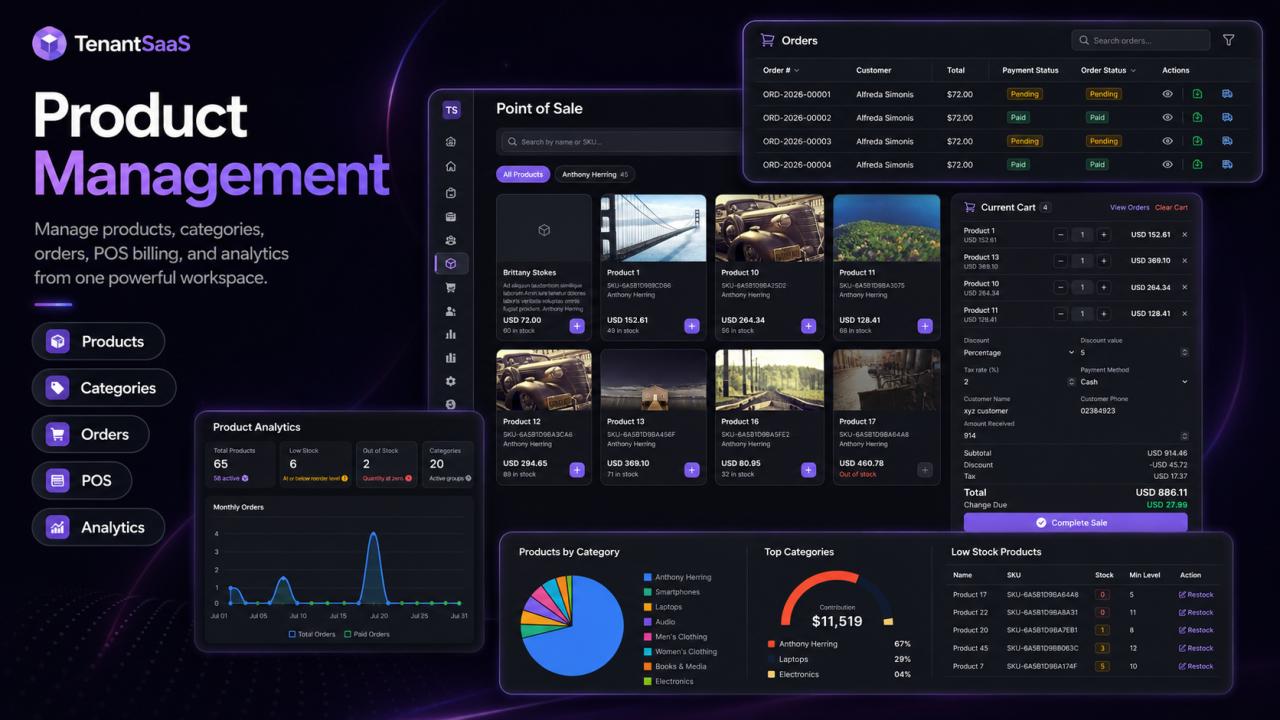
Orders created through supported workflows appear in the centralized Orders resource.
Authorized team members can review:
Order reference
Customer
Order source
Total amount
Payment method
Payment status
Order status
Depending on the order state, available actions may include viewing, editing, printing a receipt, downloading an invoice, marking an order as shipped or cancelling it.
Product analytics
The Product Analytics dashboard helps tenants understand product and sales activity through metrics and visual reports such as:
Total products
Active products
Low-stock products
Out-of-stock products
Monthly orders
Paid orders
Products by category
Leading categories
Top products by revenue
Products requiring restocking
These insights help businesses make better product and stock decisions without manually preparing reports.
Plan-aware product usage
TenantSaaS can apply product limits according to the tenant’s active subscription plan.
When a workspace approaches or reaches its current allowance, authorized users can see a clear warning and review available upgrade options.
Connected with TenantSaaS POS
Product records, stock quantities, categories and pricing work directly with the TenantSaaS Point of Sale page.
This creates one connected flow:
Products → Categories → POS Sale → Order → Receipt or Invoice → Analytics
Explore Product Management:https://tenantsaas.com/features/product-management