Template management
Maintain a notification template for each business event with its own name, key, sender, subject, and content.
Smart, Branded and Trackable Emails
Create branded email templates, customize notification content, preview every message, monitor delivery logs, and resend emails—all directly from your TenantSaaS workspace.
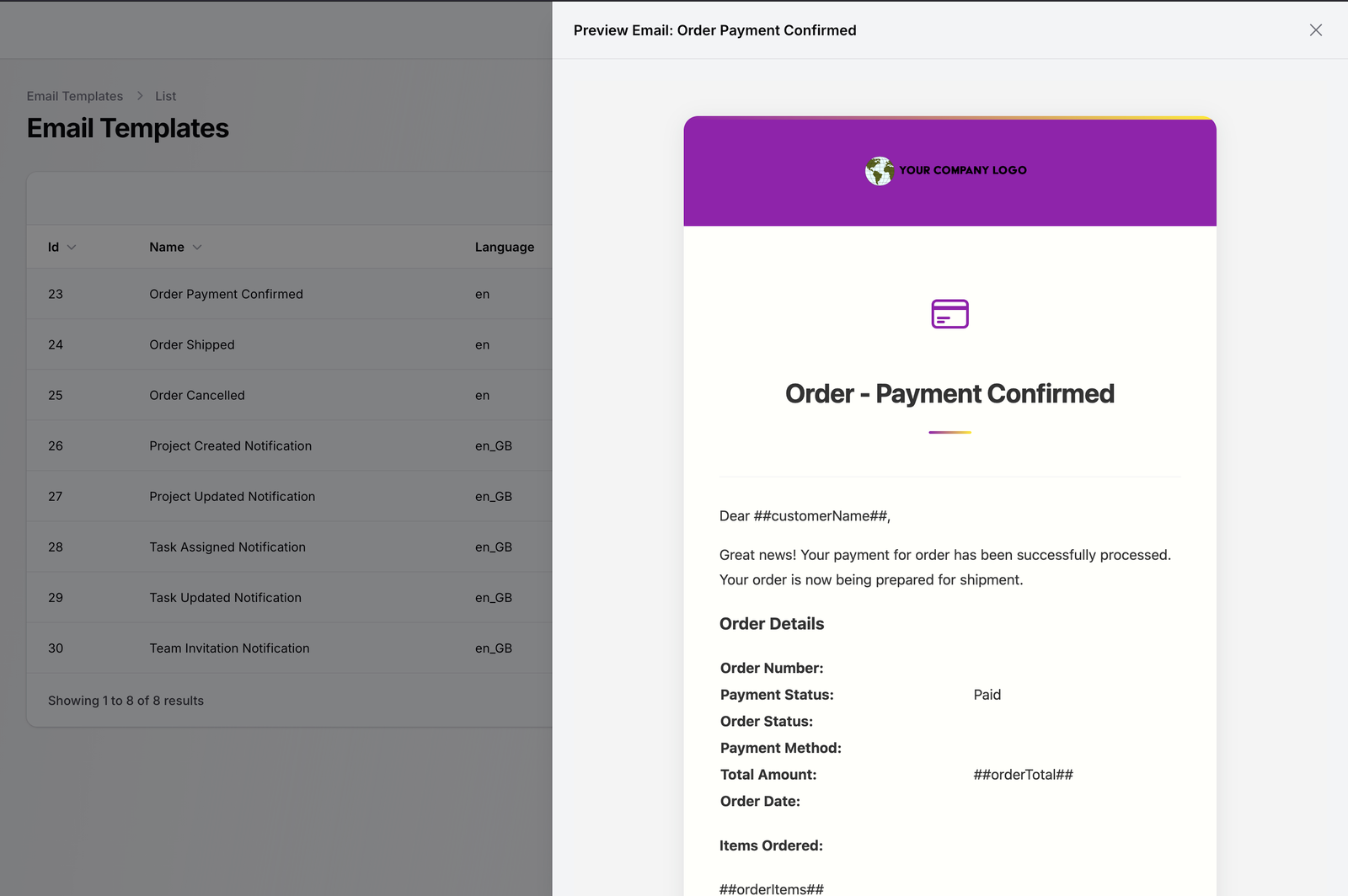
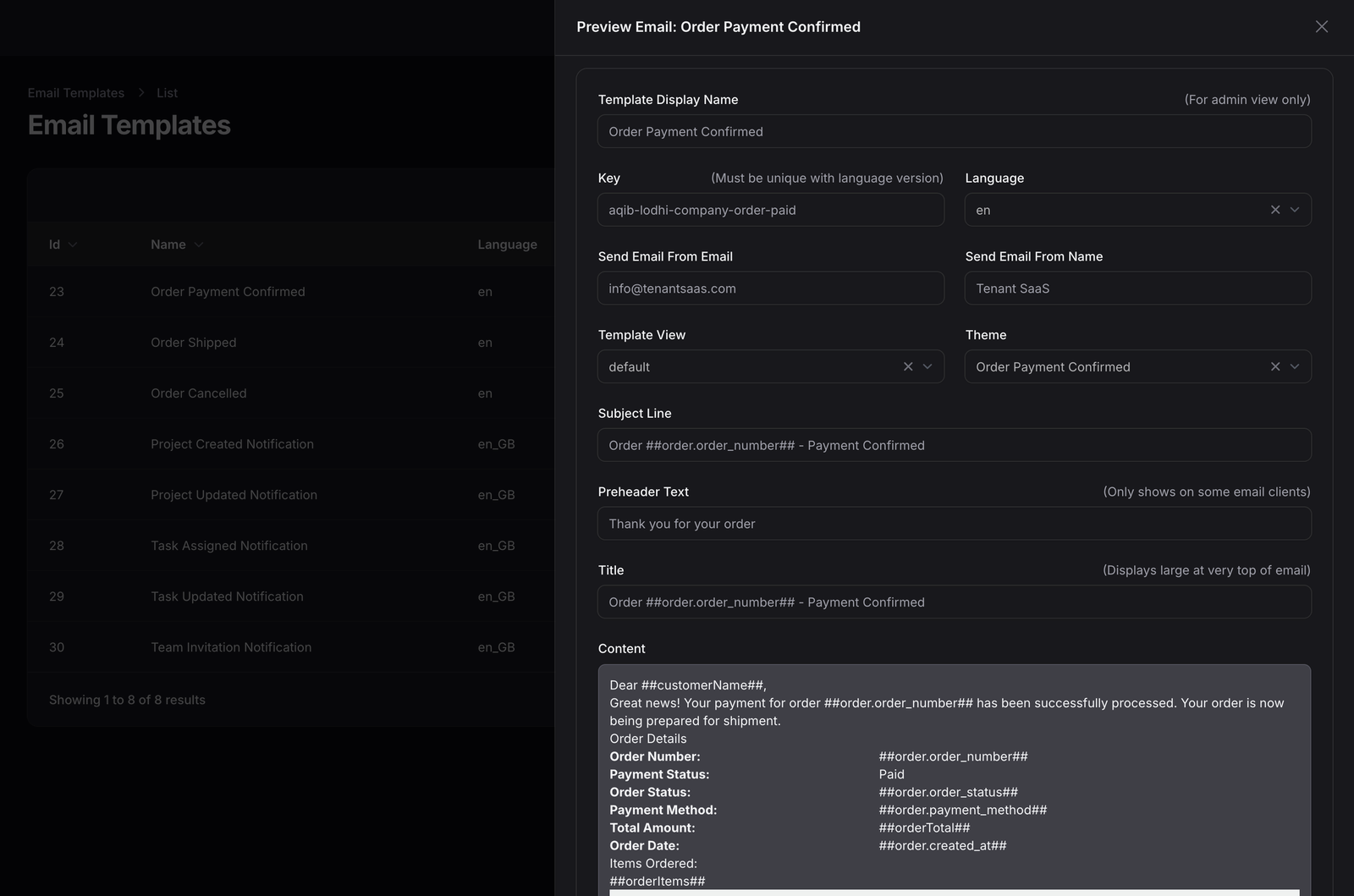
Sender details, subject, preheader, title, editable content, language, template view, theme selection, and preview in one editor.
Email Notification Overview
Businesses send important emails for account verification, orders, projects, team invitations, task updates, payments, and other activities. TenantSaaS gives teams one centralized place to design, manage, preview, track, and resend those notifications.
Maintain a notification template for each business event with its own name, key, sender, subject, and content.
Reuse consistent email designs with your logo, header colors, typography, and footer details across templates.
Review sent emails with senders, recipients, subjects, and timestamps kept in one searchable log.
Insert customer, order, project, and team details into notification content with supported placeholders.
See how a notification will look before it is used, with the selected theme and content applied.
Open a previously sent email from the log and resend it when a recipient needs it again.
Email Delivery Logs
Review sent emails, recipients, subjects, delivery times, and available actions from a centralized email log. Open previous messages, resend important notifications, and maintain visibility across your workspace.
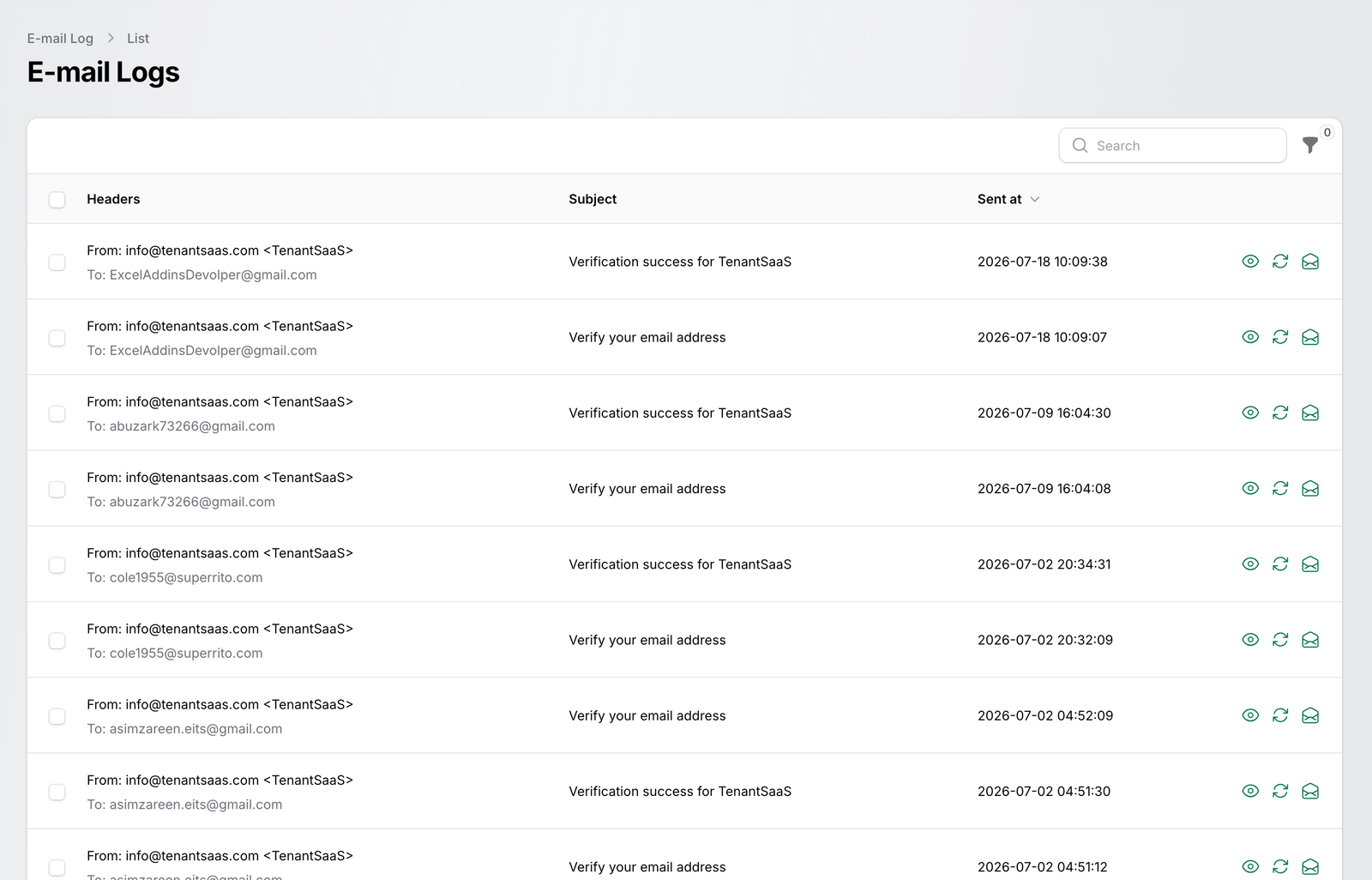
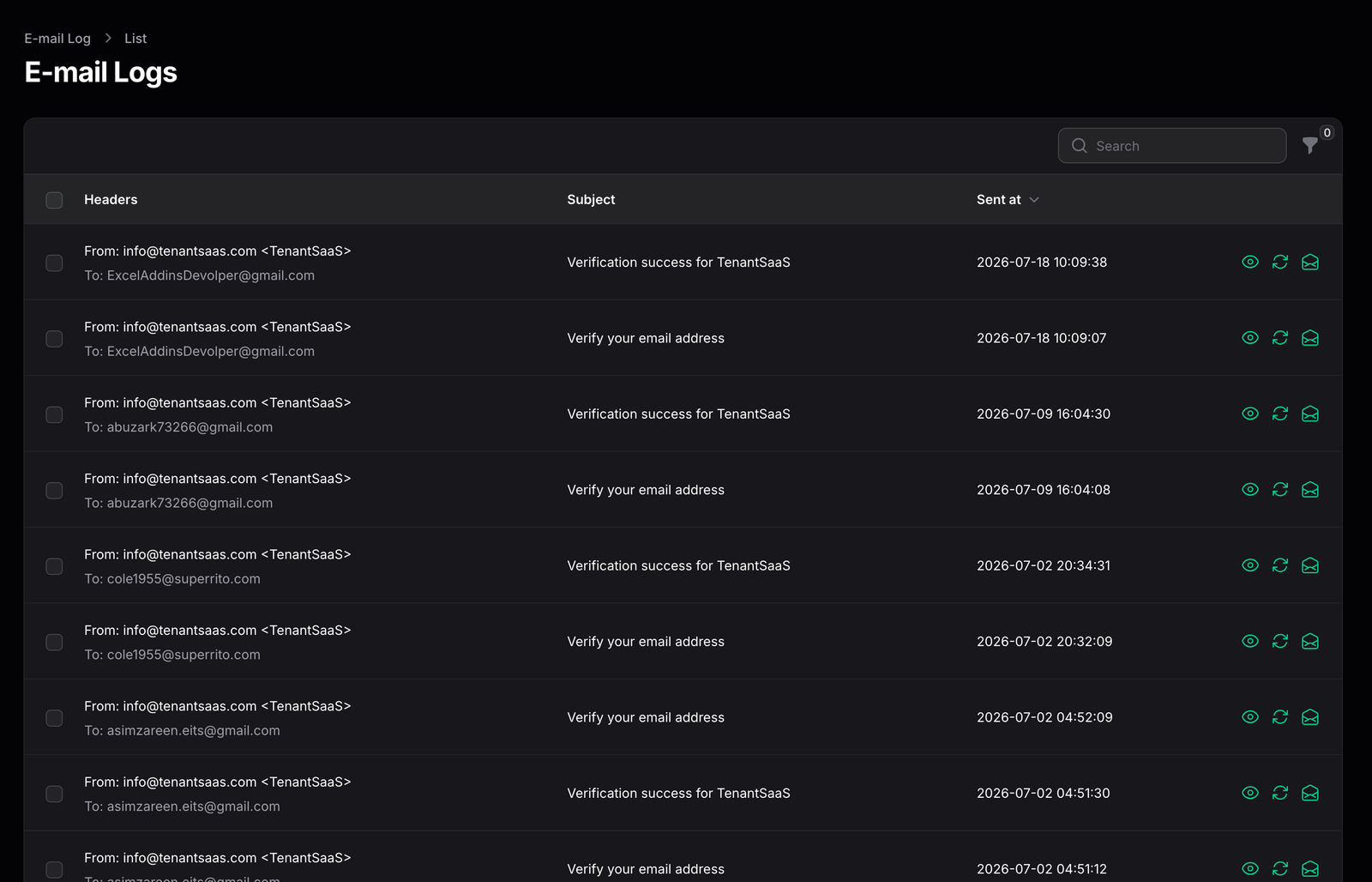
Senders, recipients, subjects, sent timestamps, and preview and resend actions in one centralized log.
Every field of the notification—from sender identity to body content and theme—can be edited and previewed.
Custom Email Templates
Control the sender identity, subject line, preheader, title, content, language, template view, and design theme for every notification.
Set a template display name, a unique template key, the sender email, and the sender name used for the notification.
Edit the subject line, preheader, notification title, and the fully customizable email body for each template.
Choose the template language, select the template view, apply a design theme, and preview the result before use.
Prepare templates for business events such as:
Dynamic Placeholders
Use supported placeholders to automatically insert customer, order, project, task, team, and business information into notification content.
##customerName##
##order.order_number##
##order.order_status##
##order.payment_method##
##orderTotal##
##orderItems##
These are examples of supported placeholders. When the notification is sent, each placeholder is replaced with the real value for that customer or order.
From template to inbox
Template content
Dear ##customerName##, your payment for order ##order.order_number## has been processed. Total: ##orderTotal##.
Sent email
Dear Sarah Ahmed, your payment for order ORD-2031 has been processed. Total: $148.00.
Reusable Email Themes
Create consistent email designs for different notification types while keeping branding, colors, logos, headers, footers, and support information unified.
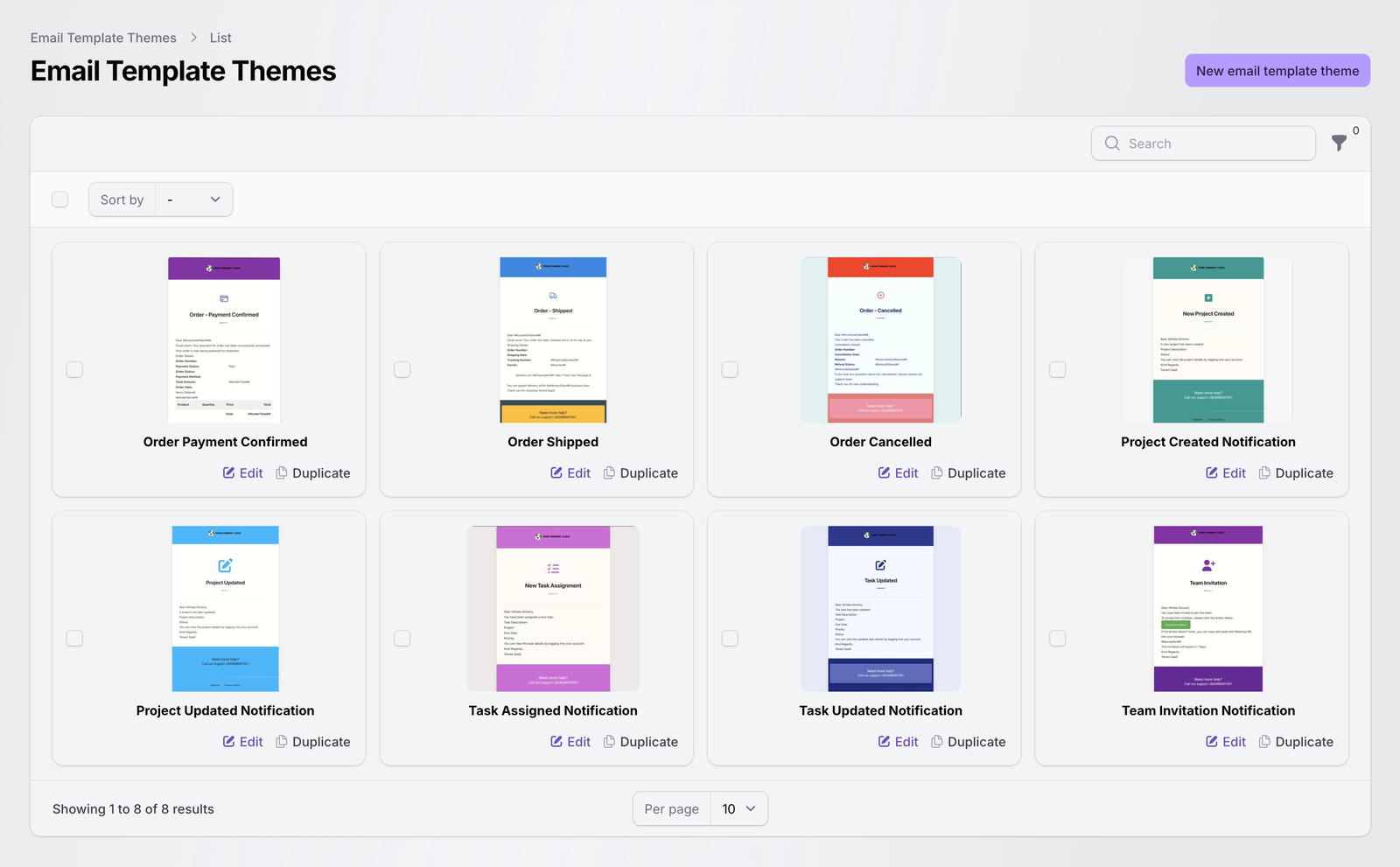
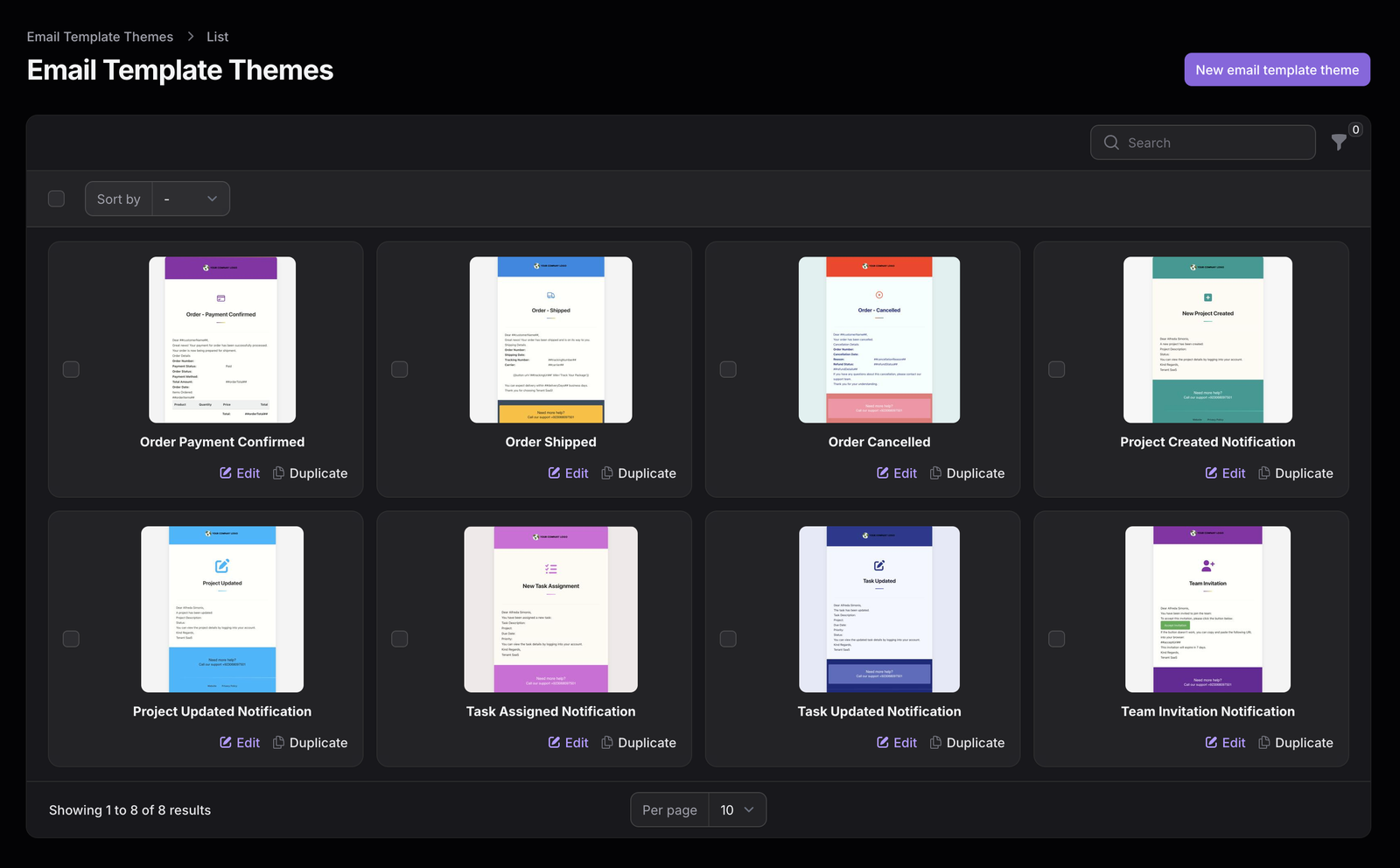
Reusable branded theme cards with logos, header colors, notification-specific styles, and footer details.
Keep separate designs for different notification types without rebuilding shared branding.
Apply your logo, company identity, and custom header colors across every themed email.
Typography, spacing, footer, and support information stay unified across templates.
Duplicate an existing theme or edit one theme without rebuilding every template that uses it.
Live Preview
See how a notification will appear to the recipient before it is used. Validate the layout, content, branding, placeholders, and important order or project details from the preview panel.
Pick the notification template for the business event.
Edit the sender, subject, preheader, title, and body.
Apply a reusable branded design theme.
Validate layout, branding, placeholders, and details.
The prepared template is used when the event triggers the email.
Use Cases
TenantSaaS notifications cover the account, commerce, project, and team events your workspace already manages.
Verification messages, welcome emails, password-related emails, and account updates.
Payment confirmation, shipping updates, cancellations, and order summaries.
Project creation, project changes, assignments, and collaboration updates.
New task assignments, task updates, deadlines, and status changes.
Team invitations, member updates, and workspace communication.
Subscription events, tenant messages, product notifications, and system alerts.
Benefits
Templates, themes, placeholders, and delivery logs work together so teams communicate consistently with less manual effort.
Every notification carries the same logo, colors, and footer details.
Edit one template or theme instead of touching individual emails.
Delivery logs keep sent messages reviewable in one place.
Personalized, well-designed messages are easier to read and trust.
Placeholders fill in customer and order details automatically.
Themes carry branding across templates without duplication.
Preview and resend actions make it simple to check and recover a message.
Organized templates and logs stay manageable as teams grow.
Multi-Tenant SaaS
TenantSaaS email tools support organized workspace communication while maintaining proper tenant context and access control. Templates and themes are managed inside the workspace, and email log entries are associated with the tenant, so teams review the communication that belongs to them.
FAQ
Answers about customizable email notifications, templates, placeholders, previews, delivery logs, and branded themes.
They are the emails a business sends for events such as account verification, orders, projects, tasks, and team invitations, managed through editable templates. TenantSaaS lets you control the sender, subject, preheader, title, content, language, and design theme of each notification template from the workspace.
Yes. Each template has its own display name and unique key, so events such as email verification, order payment confirmation, order shipment, order cancellation, project creation, project updates, task assignments, task updates, and team invitations can each use their own prepared template.
Yes. Templates support placeholders such as ##customerName##, ##order.order_number##, and ##orderTotal## in the content. When the notification is sent, the placeholders are replaced with the actual customer, order, project, task, or team information.
Yes. The template editor includes a preview so you can validate the layout, branding, theme, content, and placeholder positions before the template is used for real notifications.
Yes. The email delivery log lists sent emails with sender, recipient, subject, and sent time. From the log, authorized users can open a previously sent message and resend it when required.
Yes. Reusable email themes carry your logo, header colors, typography, footer, and support information. A theme can be applied to multiple templates and duplicated or edited without rebuilding each template.
Manage templates, themes, previews, and delivery history from a single TenantSaaS workspace.