Small businesses usually operate with limited time, smaller teams, and tight budgets.
Owners and managers often handle several responsibilities at once, including employee management, project tracking, customer communication, reporting, notifications, and daily administration.
Many of these tasks are repetitive.
They consume valuable time but do not always require human decision-making.
AI automation can help small businesses complete routine work faster, reduce manual effort, and keep important information organized.
Instead of replacing employees, AI can support them by handling repetitive tasks, summarizing data, finding information, and assisting with everyday business workflows.
This guide explains how small businesses can use AI automation effectively and how TenantSaaS can support a more productive way of working.
What Is AI Automation?
AI automation combines artificial intelligence with automated workflows.
Traditional automation follows fixed rules.
For example:
Send an email when a task is assigned
Notify a manager when leave is requested
Publish a blog post at a scheduled time
Generate a reminder before a deadline
AI automation goes further.
It can understand natural-language requests, summarize information, identify patterns, and help users complete tasks through simple instructions.
Examples include:
Summarizing project activity
Preparing a business report
Explaining analytics
Drafting content
Finding overdue tasks
Reviewing employee activity
Suggesting next actions
Creating structured information from a request
The goal is to reduce repetitive work and make business software easier to use.
Why Small Businesses Need Automation
Large businesses often have dedicated teams for HR, administration, reporting, operations, and project management.
Small businesses may not have that advantage.
One owner or manager may be responsible for:
Managing employees
Reviewing attendance
Assigning tasks
Checking project progress
Sending reminders
Preparing reports
Updating customers
Organizing files
Creating content
Tracking business activity
When all these tasks are completed manually, important work may be delayed.
Automation allows smaller teams to operate more efficiently without immediately hiring additional administrative staff.
Reduce Repetitive Administrative Work
A large part of business administration involves repeating the same actions.
Examples include:
Sending task notifications
Reminding employees about deadlines
Reviewing pending leave requests
Checking attendance records
Preparing weekly summaries
Following up on incomplete work
Organizing updates
Publishing scheduled content
These activities are necessary, but they consume time.
AI-assisted workflows can help identify the information that needs attention and present it in a simpler format.
For example, instead of manually checking every project, a manager could request:
Summarize this week’s project progress and highlight overdue tasks.
The system can collect the relevant information and provide a clear summary.
Save Time on Project Management
Project management requires constant attention.
Managers need to understand:
Which projects are active
Which tasks are overdue
Who is responsible for each task
What work has been completed
Which deadlines are approaching
Where progress is blocked
Without automation, managers may spend hours opening projects and reviewing tasks one by one.
AI can help summarize project data and highlight areas that require attention.
It may assist with requests such as:
Show projects with upcoming deadlines
Find tasks that have not been updated
Summarize completed work
Identify projects with delayed tasks
Prepare a weekly project report
Explain current project risks
This helps managers focus on decisions instead of searching for information.
Improve Task Assignment
Assigning tasks requires more than creating a title.
Managers need to consider:
Employee workload
Skills
Deadlines
Project priority
Existing assignments
AI can assist by organizing task information and suggesting suitable actions.
For example, a manager may ask the assistant to:
Create a task from a short description
Suggest a priority
Prepare task instructions
Identify employees with fewer active assignments
Summarize a project before assigning work
The manager still makes the final decision, but AI reduces the time required to prepare the task.
Generate Reports Faster
Reports are important, but preparing them manually can take a long time.
A manager may need to collect information from:
Projects
Tasks
Timesheets
Attendance
Leave requests
Product activity
Notifications
Employee records
AI can help transform this information into a readable summary.
Useful reports may include:
Weekly project summary
Employee attendance overview
Pending task report
Timesheet summary
Product activity report
Team performance summary
Business activity overview
Instead of copying data into a document manually, users can request a report and then review the generated result.
Understand Business Analytics
Dashboards contain useful information, but not every user knows how to interpret charts and metrics.
AI can help explain analytics in plain language.
For example, a business owner may ask:
Why did project completion decrease this month?
Which team has the most pending tasks?
What changed in employee attendance this week?
Which products received the most activity?
What should I review today?
The AI assistant can summarize the available data and point out notable changes.
This makes analytics more useful for users who do not have a technical or data-analysis background.
Improve Employee Management
Employee management involves many routine processes.
These may include:
Attendance tracking
Leave requests
Employee onboarding
Task assignment
Timesheets
Performance summaries
Notifications
Policy communication
AI can support HR and management teams by organizing information and reducing repetitive communication.
For example, it may help:
Summarize pending leave requests
Identify missing attendance records
Prepare onboarding checklists
Draft employee announcements
Review timesheet activity
Explain company policies
Find employees assigned to a project
Sensitive employment decisions should always remain under human control.
AI should support the process, not make final decisions about hiring, discipline, compensation, or termination.
Automate Notifications
Businesses depend on notifications to keep teams informed.
Common notification events include:
New project creation
Task assignment
Task status changes
Team invitations
Leave requests
Attendance events
Subscription updates
Blog moderation
Marketplace orders
Automated notifications reduce the need for managers to send every update manually.
AI can also assist with notification content.
For example, it may help create:
Clear email messages
Short SMS alerts
Friendly reminders
Professional announcements
Follow-up messages
TenantSaaS can use customizable notification templates so each company can communicate in a consistent style.
Create Content More Efficiently
Small businesses need content for:
Blog posts
Product descriptions
Email campaigns
Company announcements
Social media
Help documentation
Internal policies
Creating all this content manually can be difficult for a small team.
AI can help generate an initial draft.
A user may provide a simple request such as:
Write a product announcement for our new employee attendance feature.
The AI can create a structured draft that the user can review and improve.
Human review is still necessary to ensure the content is accurate, original, and aligned with the company’s voice.
Find Information Faster
As a business grows, its platform contains more:
Employees
Projects
Tasks
Files
Products
Blog posts
Reports
Notifications
Finding information manually becomes slower.
An AI assistant can make search more conversational.
Instead of opening several pages, a user may ask:
Find projects assigned to the design team
Show employees with pending timesheets
List tasks due this week
Find the latest report
Show recent company activity
Summarize unread notifications
This can make business software easier for non-technical users.
Support Better Daily Planning
Business owners often begin the day by checking several areas of the company.
They may review:
Pending tasks
Upcoming deadlines
Employee attendance
Leave requests
New notifications
Product activity
Customer issues
AI can provide a daily summary.
For example:
Give me today’s business overview.
The response may highlight:
Important deadlines
Pending approvals
Overdue tasks
Attendance issues
Recent activity
Items requiring attention
This helps users decide what to work on first.
Reduce Human Error
Manual work often creates mistakes.
Examples include:
Forgetting to send a reminder
Missing a deadline
Copying incorrect data
Assigning work to the wrong person
Publishing content at the wrong time
Overlooking a pending request
Automation helps ensure that repeatable processes happen consistently.
AI can also flag unusual or incomplete information for review.
However, businesses should not assume that AI is always correct.
Important actions should include validation, authorization, and human confirmation.
How TenantSaaS Uses AI
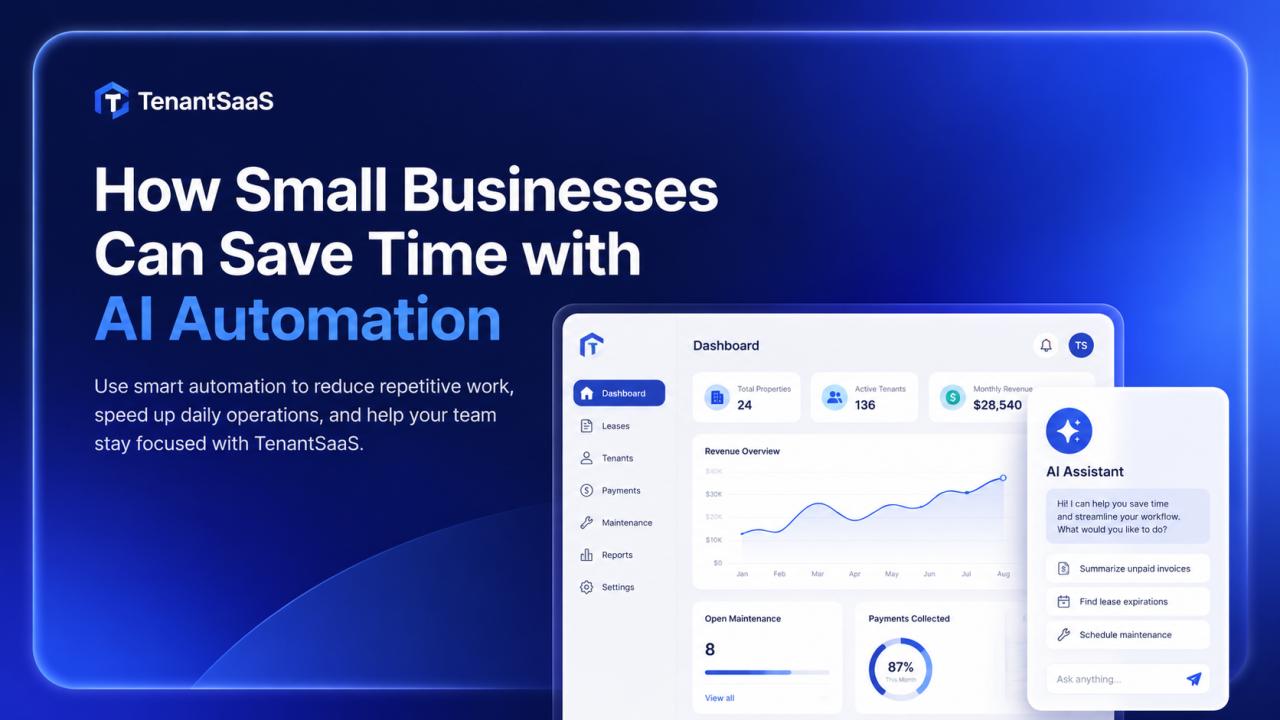
TenantSaaS includes a built-in AI workspace designed to support tenants inside their company environment.
Depending on available features and permissions, the AI assistant may help with:
AI chat assistance
Blog content generation
Business content creation
Project summaries
Task insights
Team productivity analysis
Navigation assistance
Record lookup
Report preparation
Workflow support
The assistant should only access information that the current user is authorized to view.
A regular employee should not receive private company or administrative data simply by asking the AI.
AI permissions must follow the same tenant boundaries, roles, and policies as the rest of the platform.
A Practical Example
Imagine a small software company with ten employees.
The owner manages projects, employees, client work, and reporting.
Without AI automation, the owner may spend every Friday:
Checking all active projects
Reviewing completed tasks
Finding overdue work
Collecting timesheet information
Writing a weekly summary
Sending follow-up messages
With TenantSaaS AI, the owner could request:
Prepare a summary of this week’s project activity, completed tasks, overdue items, and employee timesheets.
The assistant can organize the available information into one report.
The owner reviews it, makes corrections if needed, and shares the final version.
A process that previously required hours may take only a few minutes.
What Should Not Be Fully Automated?
Not every business decision should be automated.
Businesses should keep human control over:
Hiring decisions
Employee termination
Salary changes
Disciplinary actions
Financial approvals
Legal decisions
Sensitive customer issues
Security permissions
Major business strategy
AI can provide information and suggestions, but responsible people should make the final decision.
Best Practices for AI Automation
Start with Repetitive Tasks
Choose tasks that happen regularly and follow a clear pattern.
Good starting points include:
Summaries
Notifications
Reports
Content drafts
Record searches
Deadline reminders
Keep Human Approval
Require confirmation before completing important actions.
Use Clear Permissions
The AI assistant should follow user roles and tenant access rules.
Review Generated Content
Check AI-generated reports, messages, and blog posts before publishing.
Protect Sensitive Data
Do not provide private information to unauthorized AI services or users.
Measure Time Saved
Compare how long a task takes before and after automation.
Improve Gradually
Start with simple workflows and add more automation after users become comfortable.
Common Misunderstandings About AI
AI Will Replace Every Employee
AI is more useful as an assistant than a complete replacement.
It helps employees work faster and focus on important tasks.
AI Is Only for Large Companies
Small businesses may benefit even more because they often have limited staff.
AI Is Always Correct
AI can make mistakes.
Generated output should be reviewed, especially when it affects customers, employees, finances, or public content.
Every Process Should Be Automated
Some processes require empathy, judgment, responsibility, and direct human communication.
Benefits of AI Automation for Small Businesses
When implemented responsibly, AI automation can provide:
Faster daily operations
Less repetitive work
Better access to information
Clearer reports
Improved communication
More consistent workflows
Better use of employee time
Easier platform navigation
Faster content creation
More informed decisions
The main benefit is not simply doing more work.
It is allowing people to spend more time on work that requires creativity, judgment, and customer understanding.
Start Small and Expand
A small business does not need to automate everything immediately.
Start with one useful workflow.
For example:
Generate a weekly project summary.
Automate task assignment notifications.
Create a daily deadline overview.
Draft company announcements.
Summarize attendance information.
Once the first workflow is useful and reliable, add another.
This gradual approach makes AI adoption safer and easier for the team.
Final Thoughts
Small businesses often lose valuable time on repetitive administration, reporting, communication, and information searches.
AI automation can reduce that workload and help teams focus on growth, customers, and important business decisions.
TenantSaaS brings AI tools into the same environment where companies manage projects, employees, tasks, content, notifications, and analytics.
This allows businesses to receive assistance without switching between several disconnected applications.
AI works best when it supports people, respects permissions, and keeps humans responsible for important decisions.
Save Time with TenantSaaS AI
Use TenantSaaS to manage your company, projects, employees, notifications, and business activity from one workspace.
Let the built-in AI assistant help summarize information, prepare content, support workflows, and reduce repetitive work while your team focuses on growing the business.