Selling products online usually requires more than creating a product page.
A business may need a website, payment integration, product management, order tracking, customer communication, images, pricing, and reporting.
For a small company, building and maintaining all of this can take a lot of time and money.
TenantSaaS simplifies this process by giving companies access to a built-in marketplace.
Through the Tenant Panel, a company can create products, upload images, set prices, publish listings, and manage marketplace activity from the same platform it already uses for teams, employees, projects, and business operations.
This guide explains how the TenantSaaS marketplace works and how companies can use it to start selling more easily.
What Is the TenantSaaS Marketplace?
The TenantSaaS marketplace is a shared public area where companies can publish products for customers to discover and purchase.
Each product remains connected to the tenant that created it.
This allows multiple companies to sell through one platform while keeping their product data, orders, settings, and management access separated.
The marketplace is designed to help businesses avoid the complexity of building a separate online selling system from the beginning.
How the Marketplace Works
The basic process is simple:
A company creates an account on TenantSaaS.
The company creates or selects its tenant workspace.
An authorized user creates a product.
Product information and images are added.
The product is published to the marketplace.
Customers can view and purchase the product.
The order remains connected to the company that owns the product.
The tenant manages the product and related activity from its own panel.
TenantSaaS provides the shared platform, while each company manages its own listings.
Create Products from the Tenant Panel
Authorized tenant users can create products directly from their company workspace.
A product may contain:
Product name
Description
Price
Category
Featured image
Additional images
Availability
Stock information
Status
Product type
Billing or subscription information
The exact fields may depend on the type of product and the current marketplace configuration.
Because the product is created inside the Tenant Panel, ownership is automatically connected with the correct company.
Add Clear Product Information
Good product information helps customers understand what they are buying.
Every product should have:
A clear title
A useful description
Accurate pricing
High-quality images
Important features
Usage details
Delivery or access information
Any relevant limitations
Avoid descriptions that are too short, confusing, or misleading.
A well-written product page can reduce customer questions and improve trust.
Upload Product Images
Images are one of the most important parts of an online product listing.
TenantSaaS can allow companies to upload product media through the same media management system used across the platform.
Businesses should use images that are:
Clear
Relevant
High quality
Properly cropped
Consistent in style
Free from unnecessary text
The first image should clearly represent the product.
Additional images may show features, screenshots, variations, or usage examples.
Set Product Pricing
Companies can define the price of their products.
Depending on the marketplace setup, products may support:
One-time pricing
Recurring subscriptions
Free products
Trial access
Different plan options
Pricing should be simple and transparent.
Customers should understand:
What they are paying
Whether the payment is one-time or recurring
What features are included
Whether any usage limits apply
How cancellation works
Clear pricing improves customer confidence.
Publish Products to the Marketplace
A product should not appear publicly until it is ready.
Tenant users may prepare the product as a draft before publishing it.
Before publishing, review:
Product title
Description
Images
Price
Availability
Category
Terms
Contact information
Once published, the product can appear in the public marketplace.
If moderation is required, TenantSaaS administrators may review products before or after publication.
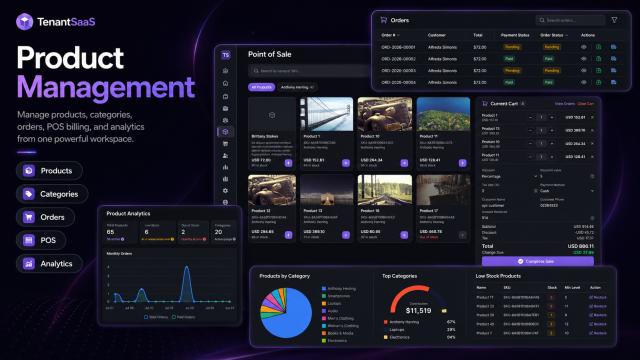
Manage Products from One Workspace
After publication, companies can continue managing their products from the Tenant Panel.
They may be able to:
Edit product details
Replace images
Update pricing
Change availability
Track orders
Review performance
Disable a listing
Publish new versions
This keeps product management connected with the company’s wider business operations.
Receive Orders
When a customer purchases a product, the order should remain linked to the company that owns the listing.
The order may contain:
Customer information
Product details
Quantity
Price
Payment status
Order status
Purchase date
Subscription details
The tenant can then review the order from its own workspace.
This avoids mixing orders between different companies.
Tenant-Based Payment Handling
TenantSaaS can support tenant-specific payment settings.
This means a company may use its own configured payment gateway when receiving payments for its products.
Depending on the implementation, a tenant may configure:
Stripe key
Stripe secret
Webhook secret
Production mode
Other supported payment providers
This creates a direct relationship between the tenant’s products, orders, and payment setup.
Payment credentials must be stored securely and should never be exposed publicly.
No Need to Build a Separate Store
One of the main benefits of the TenantSaaS marketplace is that companies do not need to build a complete store from the beginning.
A custom e-commerce website may require:
Product management
Shopping cart
Checkout
Payment processing
Order management
Customer accounts
Security
Hosting
Ongoing maintenance
TenantSaaS provides a shared marketplace structure, allowing companies to focus more on their products and customers.
Start Without a Large Upfront Cost
Small businesses often avoid online marketplaces because setup costs are high.
TenantSaaS is designed to let businesses begin with minimal upfront investment.
A company can create its workspace, add products, and publish them according to the available plan.
As the business grows, it can upgrade to access:
More products
Higher limits
Advanced analytics
Additional storage
More team members
Extra marketplace features
Better automation
This allows businesses to start small and expand gradually.
Sell Different Types of Products
The marketplace can support different product categories depending on the platform configuration.
Examples may include:
Digital products
Software tools
Templates
Business services
Training material
Downloadable files
Subscription-based products
Physical products
Each product type may require different fields and delivery methods.
For example, a digital product may include downloadable attachments, while a subscription product may provide ongoing access.
Manage Marketplace Products with a Team
A company owner does not need to manage every product alone.
TenantSaaS roles and permissions can allow different team members to help with marketplace operations.
For example:
A product manager creates listings
A designer uploads images
A content manager writes descriptions
A finance user reviews payments
An administrator manages settings
This helps companies divide responsibilities without sharing one account.
Keep Tenant Data Separate
The marketplace is shared publicly, but business management remains tenant-based.
Each tenant should only be able to manage:
Its own products
Its own media
Its own orders
Its own payment settings
Its own marketplace analytics
A tenant must not be able to edit or view private records belonging to another company.
Tenant-aware queries, policies, and permissions help maintain this separation.
Marketplace Moderation
A shared marketplace needs quality control.
TenantSaaS administrators may review listings to ensure they are suitable for the platform.
A product may be rejected or blocked if it contains:
Misleading information
Prohibited content
Unsafe files
Incorrect pricing
Copyright violations
Inappropriate images
Fraudulent claims
Moderation helps protect customers and maintain marketplace quality.
Tenants should receive a clear reason when a product requires correction.
Product Notifications
Marketplace activity can generate important notifications.
Companies may receive alerts for:
New orders
Payment updates
Product approval
Product rejection
Product blocking
Low stock
Subscription changes
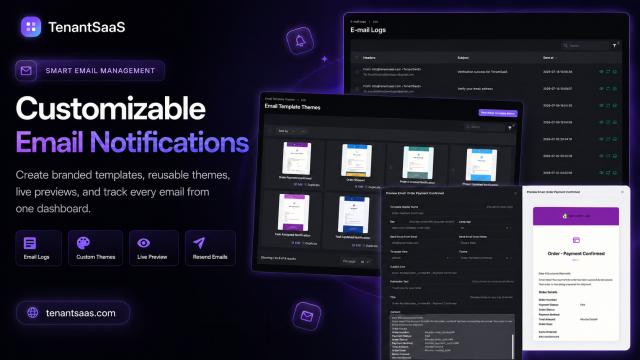
Customer activity
Notifications can be delivered through email, SMS, or in-app channels, depending on the company’s settings.
This helps businesses respond quickly.
Marketplace Analytics
Analytics help tenants understand how their products are performing.
Useful marketplace metrics may include:
Product views
Active products
Total orders
Revenue
Popular products
Subscription activity
Customer growth
Conversion trends
These insights help companies decide which products to improve, promote, or discontinue.
Use AI to Improve Product Content
TenantSaaS AI can support product creation by helping users prepare:
Product titles
Descriptions
Feature lists
Short summaries
Marketing content
Customer FAQs
Announcement posts
The AI-generated content should always be reviewed before publication.
Product information must remain accurate and must not make false claims.
A Practical Example
Imagine a small software company that sells digital business tools.
Without TenantSaaS, the company may need to:
Build a separate website
Create a checkout system
Configure payments
Build product management
Develop order tracking
Maintain customer access
With the TenantSaaS marketplace, the company can:
Create a tenant workspace.
Add a software product.
Upload screenshots.
Set the price.
Configure payment settings.
Publish the listing.
Receive orders.
Manage activity from the Tenant Panel.
The company can begin selling without first building a complete marketplace system.
Benefits for Businesses
Using the TenantSaaS marketplace can provide:
Faster product launch
Lower setup effort
Centralized product management
Tenant-based order separation
Built-in media uploads
Team collaboration
Payment integration
Notifications
Analytics
AI-assisted content creation
The main benefit is speed.
Companies can move from product idea to public listing without building every supporting feature themselves.
Best Practices for Product Listings
Use a Clear Product Name
Customers should understand the product immediately.
Write an Honest Description
Explain what the product does and who it is for.
Upload Professional Images
Avoid blurry images or designs with too much text.
Keep Pricing Transparent
Clearly explain one-time and recurring costs.
Update Product Information
Remove outdated features and incorrect details.
Respond to Orders Quickly
Monitor notifications and customer activity.
Follow Marketplace Rules
Avoid prohibited, misleading, or copyrighted content.
Review Analytics
Use product performance data to improve future listings.
How to Get Started
A simple marketplace setup process may look like this:
Register on TenantSaaS.
Create your company workspace.
Complete company information.
Configure payment settings where required.
Create your first product.
Add product images and details.
Review pricing and availability.
Publish the product.
Monitor orders and notifications.
Improve the listing using customer feedback and analytics.
Start with one strong product rather than publishing many incomplete listings.
Final Thoughts
Selling online should not require every company to build a complete marketplace from scratch.
TenantSaaS gives businesses a shared marketplace where they can create products, publish listings, receive orders, and manage activity from their own tenant workspace.
The platform handles the shared structure while companies remain responsible for their products, pricing, content, customers, and payment settings.
This makes online selling more accessible for startups, small businesses, agencies, and growing companies.
Start Selling with TenantSaaS
Create your company, add your products, publish them to the marketplace, and manage orders from one connected platform.
Start with the available free option and upgrade as your product catalog and business activity grow.