Managing one business is already challenging.
Managing two or more companies can become much harder when each business uses separate applications, login details, spreadsheets, employee records, and communication channels.
Business owners often waste time switching between systems, searching for information, and checking which data belongs to which company.
A centralized multi-company platform can solve this problem.
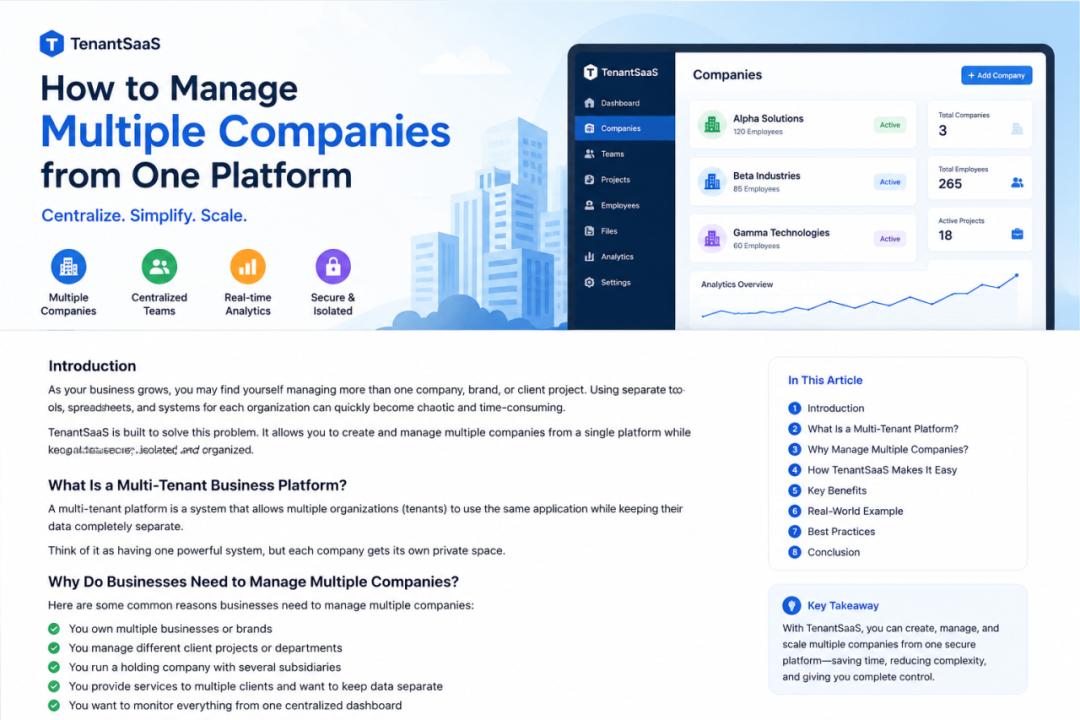
TenantSaaS allows business owners to create and manage multiple companies from one account while keeping each company’s data securely separated.
This means you can move between company workspaces without mixing employees, projects, files, products, notifications, or reports.
Why Managing Multiple Companies Becomes Difficult
When every company uses a different system, several problems begin to appear.
You may need to remember multiple usernames and passwords. Employees may be recorded in different spreadsheets. Project details may be stored in different tools. Files may be shared through personal accounts or messaging applications.
As the number of businesses grows, the process becomes harder to control.
Common problems include:
Repeated data entry
Multiple software subscriptions
Separate employee records
Scattered company files
Confusing permissions
Difficult reporting
Inconsistent communication
Time wasted switching between platforms
These problems may seem small at first, but they create operational delays as the businesses grow.
What Is Multi-Company Management?
Multi-company management means controlling more than one business from a single platform.
Each company still operates independently, but the owner can access all authorized companies through one account.
A proper multi-company system should allow:
Separate company workspaces
Independent employees and team members
Separate projects and tasks
Company-specific permissions
Isolated files and documents
Separate reports and analytics
Individual notification settings
Secure data boundaries
TenantSaaS is designed around this model.
Each company becomes its own tenant inside the platform.
One Account, Multiple Company Workspaces
With TenantSaaS, a user can create or join multiple companies.
After signing in, the user can switch between available company workspaces.
For example, a business owner may have:
A software company
A retail company
A consulting company
Instead of creating three completely separate platform accounts, the owner can access all three companies through one TenantSaaS account.
Each company keeps its own data.
When the owner switches from the software company to the retail company, the platform loads the correct employees, projects, files, products, settings, and reports for that workspace.
Keep Every Company’s Data Separate
The most important requirement in a multi-company system is data separation.
Information belonging to one company should never appear inside another company’s workspace.
TenantSaaS associates business records with the correct tenant or team.
This includes records such as:
Employees
Departments
Projects
Tasks
Files
Blog posts
Products
Orders
Notifications
Reports
Settings
Tenant-aware queries, policies, permissions, and authorization rules help ensure that users only access records they are allowed to see.
This separation allows several companies to use the same platform safely.
Manage Different Teams Independently
Each company may have a different team structure.
One company may have ten employees, while another may have fifty. One business may need project managers and developers, while another may need sales staff and store managers.
TenantSaaS allows each company to manage its own:
Owners
Administrators
Managers
Employees
Departments
Designations
Roles
Permissions
A user may have different responsibilities in different companies.
For example, a person may be an owner in one company and a manager in another.
The platform can assign access based on the current company and the user’s role inside that company.
Separate Projects and Tasks
Projects should always belong to the correct company.
When multiple companies use the same application, project records must remain clearly separated.
TenantSaaS helps businesses manage:
Company-specific projects
Assigned project members
Tasks
Deadlines
Timesheets
Calendar activities
Project files
Progress reports
A project created inside one company cannot be managed by users from another company unless they have been given proper access.
This reduces confusion and protects private business information.
Centralized Employee Management
Managing employee records across multiple companies through spreadsheets can lead to errors.
An employee may be entered twice, assigned to the wrong company, or given incorrect access.
TenantSaaS provides a structured way to connect users and employees with the correct business workspace.
Each company can maintain its own:
Employee profiles
Managers
Departments
Designations
Attendance
Leave records
Policies
Onboarding information
Account access
This makes it easier for owners to understand which employees belong to which business.
Company-Specific Files and Documents
Files are often one of the most difficult parts of multi-company management.
Documents may be stored in email threads, messaging applications, personal cloud drives, or local computers.
TenantSaaS allows companies to organize files within their own workspace.
Examples include:
Employee documents
Project files
Product images
Reports
Blog attachments
Business policies
Company branding
Internal documents
Files remain connected with the appropriate company and business record.
This improves organization and reduces the risk of sharing the wrong file with the wrong team.
Different Settings for Every Company
Not every business operates in the same way.
One company may use different branding, notifications, workflows, and payment settings than another.
TenantSaaS allows company-specific configuration where supported.
Each tenant may have its own:
Company name
Logo
Contact details
Notification preferences
User roles
Permissions
Product settings
Payment settings
Module configuration
Business rules
This allows every company to maintain its own identity while using the same platform.
Manage Products and Marketplace Listings
If your businesses sell products, each company may have different product listings and orders.
TenantSaaS allows companies to manage marketplace activity within the correct tenant workspace.
A company may:
Create products
Upload product images
Set prices
Publish listings
Receive orders
Manage subscriptions
Review product activity
Product records remain associated with the company that created them.
This helps platform administrators and company owners understand which tenant is responsible for each product and order.
Publish Company-Specific Blog Content
Different businesses may want to publish their own content.
A software company may publish tutorials, while a retail company may publish product updates.
TenantSaaS allows every authorized company to create and manage blog posts.
A tenant may:
Save drafts
Publish immediately
Schedule future posts
Upload featured images
Add downloadable attachments
Update published content
Each blog remains linked to the company and author that created it.
Platform administrators can also moderate public content when necessary.
View Analytics by Company
Business owners need accurate information for every company.
Combining unrelated data into one report can make analytics difficult to understand.
TenantSaaS keeps analytics connected with the selected company workspace.
Depending on available modules, company-specific information may include:
Active employees
Project progress
Task completion
Attendance
Timesheets
Product activity
Orders
Notifications
Content activity
Subscription usage
This helps owners compare performance without mixing records between companies.
Reduce Software Costs
Using different software for every business can become expensive.
A business owner may pay separately for:
Project management
Employee management
File storage
Notifications
Reporting
Product management
Content publishing
TenantSaaS brings several business functions into one platform.
This can reduce the need to maintain multiple disconnected systems and subscriptions.
Businesses can start with available free features and upgrade when they need more companies, storage, users, or advanced capabilities.
Save Time by Switching Workspaces
The main benefit of centralized multi-company management is convenience.
Instead of signing out and signing in to another application, the owner can switch to another company workspace.
The process becomes:
Sign in once.
Select the company.
Manage its employees and operations.
Switch to another company.
Continue working with the correct data.
This saves time and reduces mistakes caused by using the wrong account or spreadsheet.
Improve Security and Access Control
A multi-company platform must provide clear access boundaries.
TenantSaaS uses roles, permissions, policies, and tenant-aware data access to control what each user can do.
A company owner may have full access, while an employee may only see assigned tasks, attendance, or relevant files.
Users should not automatically receive access to every company connected with the same account.
Access is based on company membership and assigned permissions.
This helps protect confidential business information.
Who Benefits from Multi-Company Management?
A centralized multi-company platform is useful for many types of users.
Entrepreneurs
Entrepreneurs managing several businesses can access each company without maintaining separate platforms.
Agencies
Agencies can create separate workspaces for internal businesses, teams, or operations.
Business Groups
Organizations with several companies can keep each business independent while maintaining centralized oversight.
Consultants
Consultants who participate in multiple companies can switch between authorized workspaces.
Growing Businesses
A company that launches a second brand or business can create another workspace without rebuilding its entire management system.
A Practical Example
Suppose a business owner operates two companies:
A software development company
An online marketplace business
The software company needs:
Developers
Projects
Tasks
Timesheets
Technical files
The marketplace business needs:
Products
Orders
Sellers
Marketing content
Customer notifications
With TenantSaaS, both companies can use the same platform while keeping their records separate.
The owner can switch workspaces, review project progress in the software company, and then review products and marketplace activity in the second company.
Employees from one company do not need access to the other company.
Best Practices for Managing Multiple Companies
To manage multiple companies effectively:
Create Clear Company Names
Use recognizable company names and logos so users always know which workspace is active.
Assign Roles Carefully
Only give users the permissions they need inside each company.
Keep Employee Records Updated
Remove access when an employee leaves or changes responsibilities.
Organize Files Properly
Store documents in the correct company and connect them with the relevant records.
Use Company-Specific Notifications
Configure alerts according to each company’s operations.
Review Analytics Regularly
Check dashboards and reports for every company instead of relying on assumptions.
Avoid Sharing Accounts
Every user should have their own account and assigned permissions.
Start with Your First Companies
You do not need to configure everything at once.
Begin by creating your first company and adding the most important users, employees, and projects.
After the first workspace is organized, create another company and configure it independently.
As your businesses grow, you can enable more modules, add more users, and upgrade your plan according to your needs.
Final Thoughts
Managing multiple companies should not require multiple disconnected systems.
TenantSaaS provides one secure platform where business owners can create, access, and manage several company workspaces.
Each company keeps its own employees, projects, files, products, settings, notifications, content, and analytics.
This allows owners to maintain clear separation while still benefiting from one account and one centralized platform.
Whether you operate two companies or plan to grow into a larger business group, TenantSaaS can help you manage operations more clearly and efficiently.
Manage Multiple Companies with TenantSaaS
Create your companies, invite your teams, assign permissions, and manage daily operations from one centralized platform.
Start with the available free option and upgrade as your businesses grow.