Growing businesses often begin with simple tools.
Employee records may be stored in spreadsheets. Projects may be tracked in another application. Tasks may be shared through messages. Files may be kept in personal drives, while attendance and leave requests are handled manually.
This approach may work for a small team, but it becomes difficult as the business grows.
Managers spend more time searching for information, employees receive updates from different places, and business owners struggle to understand what is happening across the company.
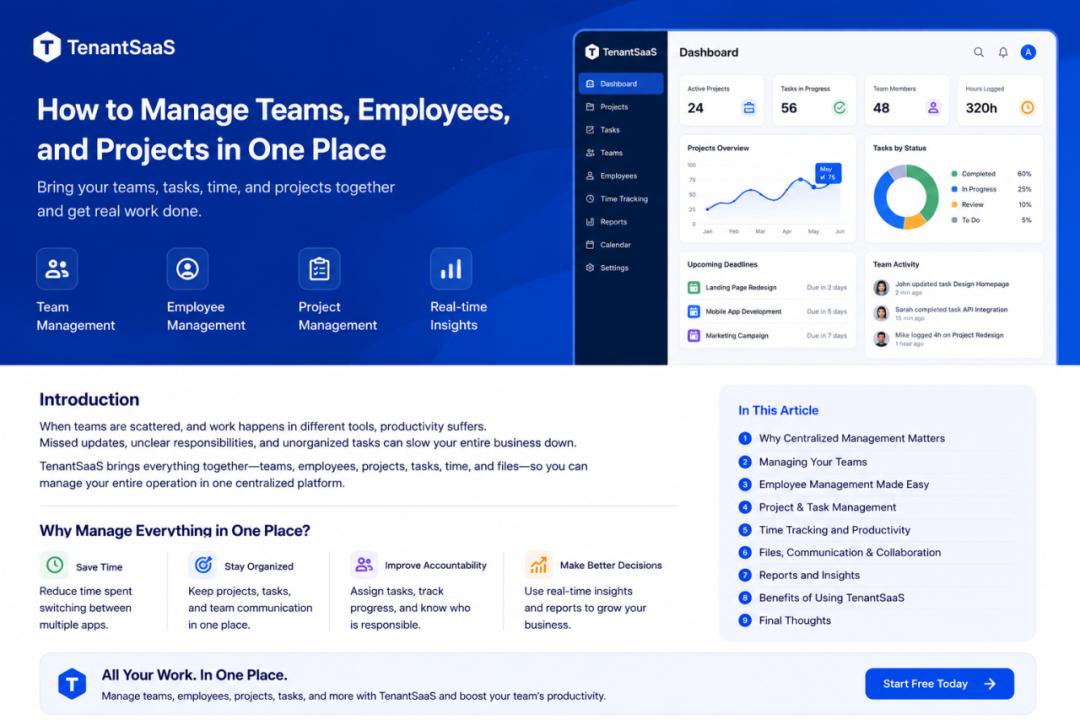
A centralized platform solves this problem by bringing teams, employees, projects, and daily operations into one connected workspace.
TenantSaaS is designed to help businesses manage these areas without depending on several disconnected systems.
Why Separate Tools Create Problems
When every business process uses a different tool, information becomes scattered.
For example:
Employee details are stored in spreadsheets
Projects are managed in a task application
Attendance is recorded manually
Files are shared through email
Leave requests are sent through messages
Reports are created separately
Notifications are sent manually
This creates several common problems:
Repeated data entry
Missing information
Delayed communication
Confusing permissions
Difficult reporting
Poor visibility
More software subscriptions
Higher training requirements
The business may have all the information it needs, but it is spread across too many places.
What Centralized Business Management Means
Centralized business management means managing people, work, files, communication, and reporting from one platform.
Instead of switching between several applications, users access the tools they need through one company workspace.
A centralized system can connect:
Companies
Teams
Users
Employees
Departments
Projects
Tasks
Timesheets
Attendance
Leave requests
Files
Notifications
Reports
Analytics
The goal is not only convenience.
Centralization improves data consistency, access control, communication, and decision-making.
Manage Teams More Clearly
A team is more than a list of users.
Every team member has a role, responsibilities, access level, and relationship with company work.
TenantSaaS allows companies to manage team members within the correct tenant workspace.
Authorized users may:
Invite team members
Assign roles
Grant permissions
Remove access
Switch between company workspaces
Review team activity
Connect users with employee records
This creates a clear structure for company access.
Use Roles and Permissions
Not every team member should have access to every feature.
A company owner may need full access, while an employee may only need to view assigned tasks and attendance.
TenantSaaS can support roles such as:
Owner
Administrator
Manager
Project manager
HR manager
Employee
Content manager
Permissions can then control access to specific resources and actions.
For example:
A project manager can create projects and assign tasks
An HR manager can manage employees and attendance
An employee can view assigned work
A content manager can create blog posts
An owner can manage company settings and subscriptions
This reduces security risks and keeps the interface relevant to each user.
Connect Users with Employee Records
A user account and an employee record serve different purposes.
The user account handles authentication and system access.
The employee record stores employment information such as:
Department
Designation
Manager
Joining date
Attendance
Leave
Employment details
TenantSaaS can connect the two records.
This allows the system to identify both who the user is and how they are related to the company.
For example, a user may sign in through their account and then access employee-specific tools based on the linked employee record.
Organize Departments and Designations
As a company grows, employees need a clear organizational structure.
Departments may include:
Human Resources
Development
Sales
Marketing
Finance
Customer Support
Designations may include:
Manager
Developer
Designer
Sales Executive
HR Officer
Support Agent
TenantSaaS allows companies to organize employees using departments, designations, and manager relationships.
This improves reporting and makes it easier to understand how the company is structured.
Manage Employee Information
A centralized employee system reduces the need for multiple spreadsheets.
Authorized users can maintain information such as:
Employee profile
Contact details
Department
Designation
Manager
Employment status
Attendance
Leave records
Policies
Onboarding information
This creates one reliable source for employee data.
When information changes, it can be updated in one place instead of several files.
Track Attendance
Attendance is a daily business activity that becomes difficult to manage manually.
Employees may forget to report working hours, while managers may struggle to understand who is present.
TenantSaaS can provide attendance features where employees may:
Punch in
Punch out
View attendance history
Review working hours
Authorized managers may then:
Review attendance
Identify missing records
Monitor daily presence
Generate attendance reports
This creates a clearer process than maintaining manual attendance sheets.
Handle Leave Requests
Leave management often becomes confusing when requests are sent through email or messaging applications.
A centralized workflow allows employees to submit leave requests through the platform.
A typical process may be:
The employee creates a leave request.
The manager receives a notification.
The manager reviews the request.
The request is approved or rejected.
The employee sees the final status.
This keeps the complete request history inside the company workspace.
Create and Manage Projects
Projects connect business goals with team activity.
TenantSaaS allows companies to create projects and organize related information in one place.
A project may contain:
Title
Description
Status
Priority
Start date
Due date
Assigned members
Tasks
Files
Timesheets
Progress information
Managers can review the overall project without searching through different tools.
Assign Team Members to Projects
Every project may require a different group of people.
TenantSaaS can allow managers to assign the correct team members to each project.
This helps ensure that:
Users only see relevant projects
Responsibilities are clear
Workload can be reviewed
Project files remain connected
Notifications reach the right people
Project access should follow company roles and assignments.
Break Projects into Tasks
Large projects become easier to manage when divided into smaller tasks.
Each task may include:
Title
Description
Assignee
Priority
Status
Due date
Estimated hours
Actual hours
Related files
Managers can use tasks to track progress more accurately.
Employees can focus on the specific work assigned to them instead of trying to understand the entire project at once.
Track Task Progress
Task statuses provide a simple view of work progress.
Common statuses may include:
To do
In progress
Under review
Completed
Blocked
Managers can quickly understand which tasks are moving forward and which need attention.
Employees can update their task status as work progresses.
This keeps the project dashboard current without requiring constant meetings.
Use Timesheets
Timesheets help businesses understand how much time is spent on projects and tasks.
Employees may record:
Project
Task
Work date
Hours worked
Work description
Managers can then review:
Total project hours
Employee workload
Estimated versus actual time
Delayed work
Productivity patterns
Timesheets are especially useful for agencies, service businesses, remote teams, and companies that bill clients based on working hours.
Use a Shared Calendar
A calendar provides a visual overview of upcoming work.
TenantSaaS may show events such as:
Project deadlines
Task due dates
Leave dates
Meetings
Company events
Scheduled activities
This helps team members understand what is coming next.
A shared calendar also reduces the risk of missing important deadlines.
Keep Files Connected with Work
Project files should remain connected with the correct project or task.
TenantSaaS can support file uploads for:
Project documents
Task attachments
Employee records
Reports
Blog files
Product images
Company documents
This makes files easier to find.
Instead of searching through email attachments, users can open the related record and access its files directly.
Improve Team Communication
Many project delays happen because people do not receive updates at the right time.
TenantSaaS can send notifications for events such as:
Project creation
Task assignment
Task updates
Team invitations
Leave requests
Attendance events
File uploads
Deadline reminders
Notifications may be delivered through available channels such as:
Email
SMS
In-app notifications
This keeps users informed without requiring managers to send every update manually.
View Everything from Dashboards
A centralized dashboard gives managers a quick overview of company activity.
Depending on enabled modules, the dashboard may show:
Active projects
Pending tasks
Completed tasks
Upcoming deadlines
Present employees
Pending leave requests
Recent activity
Storage usage
Subscription information
Product activity
This allows managers to identify important issues without opening every module individually.
Generate Useful Reports
Reports turn business activity into useful information.
TenantSaaS can support reports related to:
Projects
Tasks
Timesheets
Attendance
Employees
Leave
Productivity
Business activity
Reports help managers answer questions such as:
Which projects are delayed?
Which tasks are overdue?
How many hours were recorded this week?
Which employees have missing attendance?
Which teams have the most active work?
What was completed this month?
Centralized data makes reports more accurate because information comes from the same system.
Use AI to Save More Time
TenantSaaS also includes AI-powered assistance.
The AI assistant may help users:
Summarize project progress
Find overdue tasks
Explain analytics
Prepare reports
Draft announcements
Review activity
Find records
Create content
For example, a manager may ask:
Summarize all active projects and show tasks due this week.
The AI assistant can organize the available information into a clearer summary.
This reduces the time spent searching through records manually.
A Practical Example
Imagine a company with twenty employees and five active projects.
Without a centralized system:
Employee information is stored in spreadsheets
Tasks are shared through messages
Files are stored in different drives
Attendance is managed manually
Managers prepare reports by copying information
Employees receive updates from several sources
With TenantSaaS:
The company creates one tenant workspace
Users are invited and assigned roles
Employee records are connected with user accounts
Projects and tasks are created
Team members are assigned
Employees record attendance and timesheets
Files remain attached to projects
Managers view progress from dashboards
Notifications are sent automatically
The company gains one connected workflow instead of several separate processes.
Benefits of Managing Everything in One Place
A centralized platform can provide:
Better organization
Faster communication
Clearer responsibilities
Stronger access control
Easier reporting
Reduced duplicate work
Fewer software subscriptions
Improved data accuracy
Better project visibility
Simpler employee management
The main benefit is clarity.
Every user knows where to find information and where to complete their work.
Best Practices
Define Roles Clearly
Decide what each role should be allowed to view and manage.
Keep Employee Data Updated
Review employee records and remove access when someone leaves the company.
Use Consistent Project Statuses
Avoid creating too many custom statuses that confuse users.
Assign Every Task
Each task should have a responsible person where possible.
Set Realistic Deadlines
Deadlines should reflect actual workload and available resources.
Record Timesheets Regularly
Encourage employees to record time daily instead of trying to remember it later.
Store Files with the Correct Record
Attach project files to projects and employee documents to employee records.
Review Dashboards Frequently
Use dashboards to identify pending work and upcoming deadlines.
Automate Notifications
Send important updates automatically rather than relying on manual messages.
Start with the Most Important Modules
A company does not need to enable every feature immediately.
A practical starting approach is:
Create the company workspace.
Invite team members.
Create employee records.
Assign roles and permissions.
Create the first project.
Add tasks and deadlines.
Enable attendance or timesheets.
Configure notifications.
Review dashboards and reports.
Expand into more modules as needed.
This makes adoption easier for the team.
Final Thoughts
Teams, employees, and projects are closely connected.
Managing them through separate systems creates unnecessary complexity.
TenantSaaS brings company users, employee records, projects, tasks, attendance, timesheets, files, notifications, and analytics into one tenant-based platform.
This gives managers a clearer understanding of business activity and gives employees a simpler place to complete their work.
A centralized system helps growing businesses reduce administrative effort, improve collaboration, and make better decisions.
Manage Your Business from One Workspace
Create your company on TenantSaaS, invite your team, organize employees, manage projects, assign tasks, and track progress from one connected platform.
Start with the available free option and expand as your business grows.