Running a growing business often means using several different tools.
One application may be used for project management, another for employees, another for files, and another for notifications. As the business grows, managing all these systems becomes more complicated, expensive, and time-consuming.
TenantSaaS is designed to solve this problem.
It provides businesses with one centralized platform where they can create companies, manage teams, organize employees, track projects, publish content, sell products, manage notifications, and monitor business activity.
This guide explains what TenantSaaS is, how it works, who it is designed for, and how it can help growing businesses simplify their operations.
What Is TenantSaaS?
TenantSaaS is a multi-tenant business management platform.
A multi-tenant platform allows multiple companies to use the same application while keeping each company’s users, records, files, projects, employees, and business data separated.
Every company receives its own secure workspace inside TenantSaaS.
Within that workspace, business owners and managers can organize their company operations without seeing or affecting the data of other companies.
TenantSaaS is designed around three main areas:
The Admin Panel
The Tenant Panel
The Employee or Tenant User Panel
Each panel serves a different purpose and provides access based on the user’s role.
How TenantSaaS Works
A user can register on TenantSaaS and create a company.
That company becomes a tenant inside the platform.
The company owner can then invite users, create employees, assign roles, manage projects, upload files, configure notifications, and use available business modules.
A single user may also be connected with multiple companies, depending on their access and subscription plan.
This makes TenantSaaS suitable for:
Business owners managing more than one company
Agencies managing multiple teams
Startups building internal operations
Small and medium-sized businesses
Companies with remote employees
Teams that need centralized project and employee management
Each tenant works independently while TenantSaaS manages the platform infrastructure.
The Three Main Panels
Admin Panel
The Admin Panel is used by the TenantSaaS platform administration team.
It allows administrators to manage the overall system, including:
Companies and tenants
Users
Subscription plans
Payments
Products
Marketplace activity
Blog moderation
Platform settings
System-wide analytics
Support and administrative operations
The Admin Panel gives TenantSaaS complete control over the platform without exposing private tenant data to unauthorized users.
Tenant Panel
The Tenant Panel is the main company management area.
It is used by company owners, administrators, managers, and authorized team members.
From the Tenant Panel, businesses can manage:
Company information
Team members
Employees
Roles and permissions
Projects
Tasks
Timesheets
Calendar activities
Business reports
Files and documents
Notifications
Blog posts
Products and marketplace listings
Company analytics
The exact features available may depend on the company’s plan, permissions, and enabled modules.
Employee Panel
The Employee Panel is designed for employees and regular company users.
It gives employees access only to the features they need.
Depending on their role, employees may be able to:
View assigned tasks
Track attendance
Punch in and out
Submit timesheets
Request leave
View company announcements
Access assigned files
Check notifications
View project-related information
This keeps the employee experience simple while protecting administrative and confidential business information.
Manage Multiple Companies from One Account
One of the main benefits of TenantSaaS is the ability to manage multiple companies.
A user may create or join more than one company and switch between available workspaces.
Each company has separate:
Employees
Projects
Tasks
Files
Settings
Notifications
Products
Blog posts
Reports
Permissions
This is useful for entrepreneurs, agencies, consultants, and business groups that operate more than one company.
Instead of maintaining separate applications and login systems, users can manage different businesses through one platform.
Team and Employee Management
Managing employees through spreadsheets becomes difficult as a company grows.
TenantSaaS provides a structured employee management system where companies can maintain employee information and connect employee records with user accounts.
Businesses can manage details such as:
Departments
Designations
Managers
Employment information
Attendance
Leave
Policies
Onboarding
Employee roles
Account access
Managers can assign permissions based on responsibilities.
For example, an employee may only access attendance and assigned tasks, while a team administrator may manage employees, projects, and company settings.
Project and Task Management
Projects often fail because information is spread across messages, spreadsheets, documents, and separate tools.
TenantSaaS helps companies organize project work in one place.
Businesses can use the project management features to:
Create projects
Assign team members
Create and manage tasks
Track progress
Record timesheets
View project calendars
Monitor deadlines
Generate reports
Review project summaries
This gives managers a clearer understanding of project activity and helps team members stay focused on their assigned work.
File and Document Management
Company files should be easy to find and securely connected with the correct workspace.
TenantSaaS allows tenants to upload and manage files through their company workspace.
Files can be connected with different records and modules, depending on the system configuration.
Examples include:
Employee documents
Project files
Blog attachments
Product images
Company logos
Reports
Internal resources
Because TenantSaaS uses tenant-based access control, users should only be able to access files belonging to companies they are authorized to use.
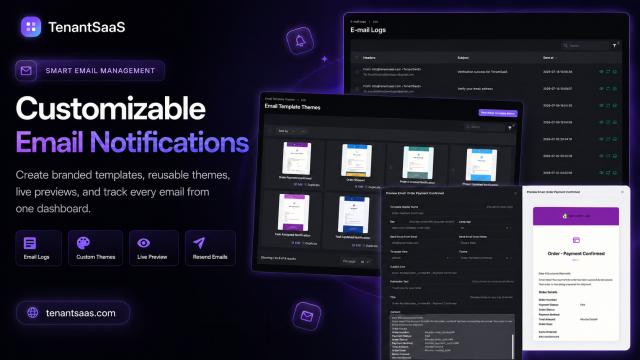
Business Notifications
Important business activities should not be missed.
TenantSaaS supports notification management so companies can communicate important events through available channels such as:
Email
SMS
In-app notifications
Database notifications
Companies may customize notification content based on their requirements.
Notifications can be used for:
Employee invitations
Project assignments
Task updates
Attendance events
Leave requests
Subscription changes
Marketplace orders
Blog moderation
Business alerts
Centralized notification management helps businesses maintain consistent communication.
AI-Assisted Business Management
TenantSaaS includes an AI assistant designed to help users save time.
The AI assistant can support users by helping them understand information, find records, summarize activity, and complete supported management tasks.
Depending on the available permissions and implementation, the AI assistant may help with:
Navigating the platform
Understanding company analytics
Summarizing project activity
Finding employees or tasks
Preparing content
Reviewing notifications
Assisting with administrative workflows
The AI assistant does not replace business owners or managers. It helps reduce repetitive work and makes the platform easier to use.
Marketplace and Product Selling
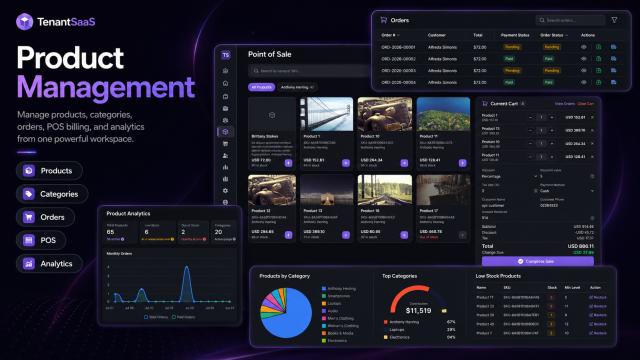
TenantSaaS also provides marketplace functionality.
Companies can create products and make them available to customers through the marketplace.
This allows tenants to:
Add product information
Upload product media
Set prices
Manage listings
Receive orders
Track marketplace activity
Manage product-related subscriptions where supported
TenantSaaS is designed to let businesses begin selling without requiring a large upfront platform investment.
As a company grows, it may upgrade its plan to access additional capabilities and higher usage limits.
Blog Publishing for Companies
Companies can use the TenantSaaS blog system to publish useful content.
Tenants may create:
Company announcements
Product updates
Tutorials
Business guides
Hiring news
Industry insights
Case studies
Customer stories
Blog posts can be saved as drafts, published immediately, or scheduled for a future date.
TenantSaaS administrators can also review public content and reject or block posts that are inappropriate, misleading, unsafe, or unsuitable for the platform.
This helps maintain quality across the public website.
Analytics and Business Visibility
Businesses need clear information to make better decisions.
TenantSaaS provides dashboards and analytics that help users understand activity across their company ecosystem.
Depending on enabled modules, analytics may include:
Employee statistics
Project progress
Task completion
Attendance activity
Timesheet data
Product activity
Marketplace orders
Subscription information
Notification activity
Company growth indicators
Instead of checking multiple tools, managers can view important information from one centralized platform.
Roles and Permissions
Not every user should have access to every feature.
TenantSaaS uses roles and permissions to control what users can see and manage.
A company may define roles such as:
Owner
Team administrator
Manager
Employee
Project manager
HR manager
Content manager
Permissions can be assigned based on responsibilities.
This protects sensitive information and helps companies maintain clear access boundaries.
Why Use TenantSaaS Instead of Multiple Tools?
Using many separate tools may create several problems:
Multiple subscriptions
Different login systems
Scattered business data
Repeated employee records
Difficult reporting
Complicated permissions
More training requirements
Weak communication between systems
TenantSaaS brings essential company operations into one connected environment.
The goal is not only to provide more features. The goal is to make business management clearer, faster, and easier.
Who Should Use TenantSaaS?
TenantSaaS can be useful for:
Startups
Startups can organize their teams and projects without purchasing several expensive tools.
Small Businesses
Small businesses can manage employees, tasks, files, notifications, and operations from one system.
Growing Companies
Growing companies can introduce structured roles, departments, reports, and automated workflows.
Agencies
Agencies can manage multiple internal teams and companies while keeping their data separated.
Remote Teams
Remote teams can access shared projects, files, tasks, attendance, and notifications from different locations.
Entrepreneurs with Multiple Businesses
Business owners can switch between multiple company workspaces instead of using completely separate platforms.
Is TenantSaaS Free?
TenantSaaS provides a free starting option so users can explore the platform and create their first companies without a large upfront cost.
Businesses can begin with the available free features and upgrade later as their teams, companies, or operational needs grow.
Paid plans may provide:
Higher limits
More companies
Additional features
Advanced modules
Greater storage
Enhanced automation
Expanded AI usage
Priority support
This approach allows businesses to start small and upgrade when they receive real value from the platform.
Data Separation and Security
TenantSaaS is designed with multi-tenant data separation.
Every tenant record is associated with a company or team.
The application uses authorization rules, policies, tenant-aware queries, and permissions to prevent users from accessing records belonging to other companies.
Security depends on several layers, including:
Authentication
Tenant scoping
Role-based permissions
Policies
Secure file access
Validated requests
Administrative controls
This structure is essential for maintaining trust in a shared SaaS platform.
How to Get Started
Getting started with TenantSaaS is straightforward:
Create your TenantSaaS account.
Create your first company.
Add company information.
Invite team members or connect employees.
Assign roles and permissions.
Create projects and tasks.
Configure notifications.
Upload company files.
Explore analytics and available modules.
Upgrade later when your business requires more features.
You do not need to configure every module immediately.
Start with the features your business needs most and expand gradually.
Final Thoughts
Growing businesses need systems that are simple enough to start with and flexible enough to support future growth.
TenantSaaS provides a centralized environment for managing companies, employees, projects, files, notifications, products, content, and business activity.
Instead of managing disconnected tools, businesses can organize their operations through one tenant-based platform.
Whether you are starting a new company, managing a growing team, or operating multiple businesses, TenantSaaS can help you create a clearer and more manageable business workflow.
Start Managing Your Business with TenantSaaS
Create your company on TenantSaaS and begin managing your teams, employees, projects, notifications, products, and business operations from one centralized platform.
Start with the available free plan and upgrade as your business grows.