Lead Source Performance
Per-source lead counts, converted counts, and conversion rates, with workspace totals and an overall conversion rate.
CRM Feature
The CRM reports page answers two questions every sales leader asks: which lead sources convert, and where is pipeline value sitting right now — with summary totals and per-row breakdowns computed from your live records.
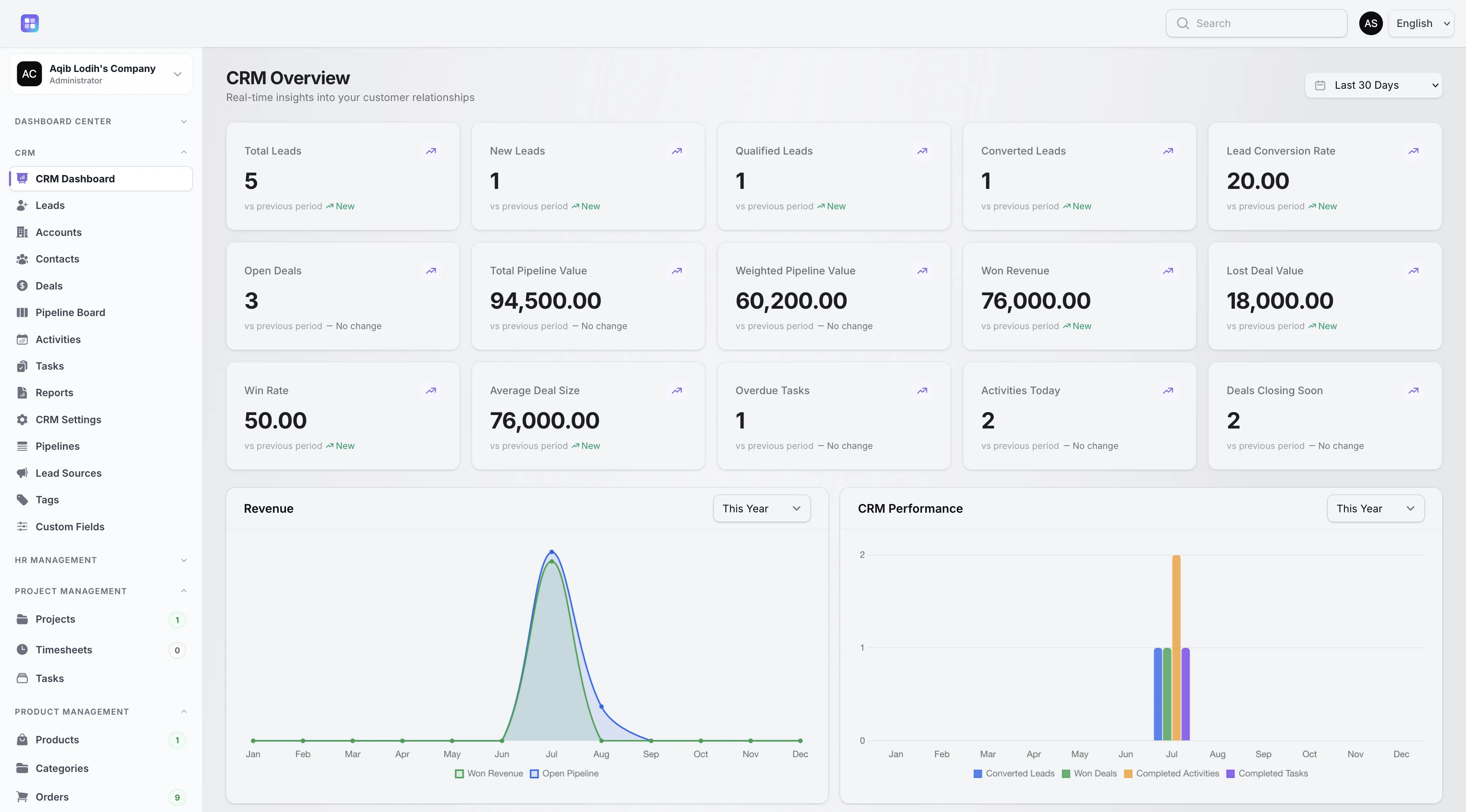
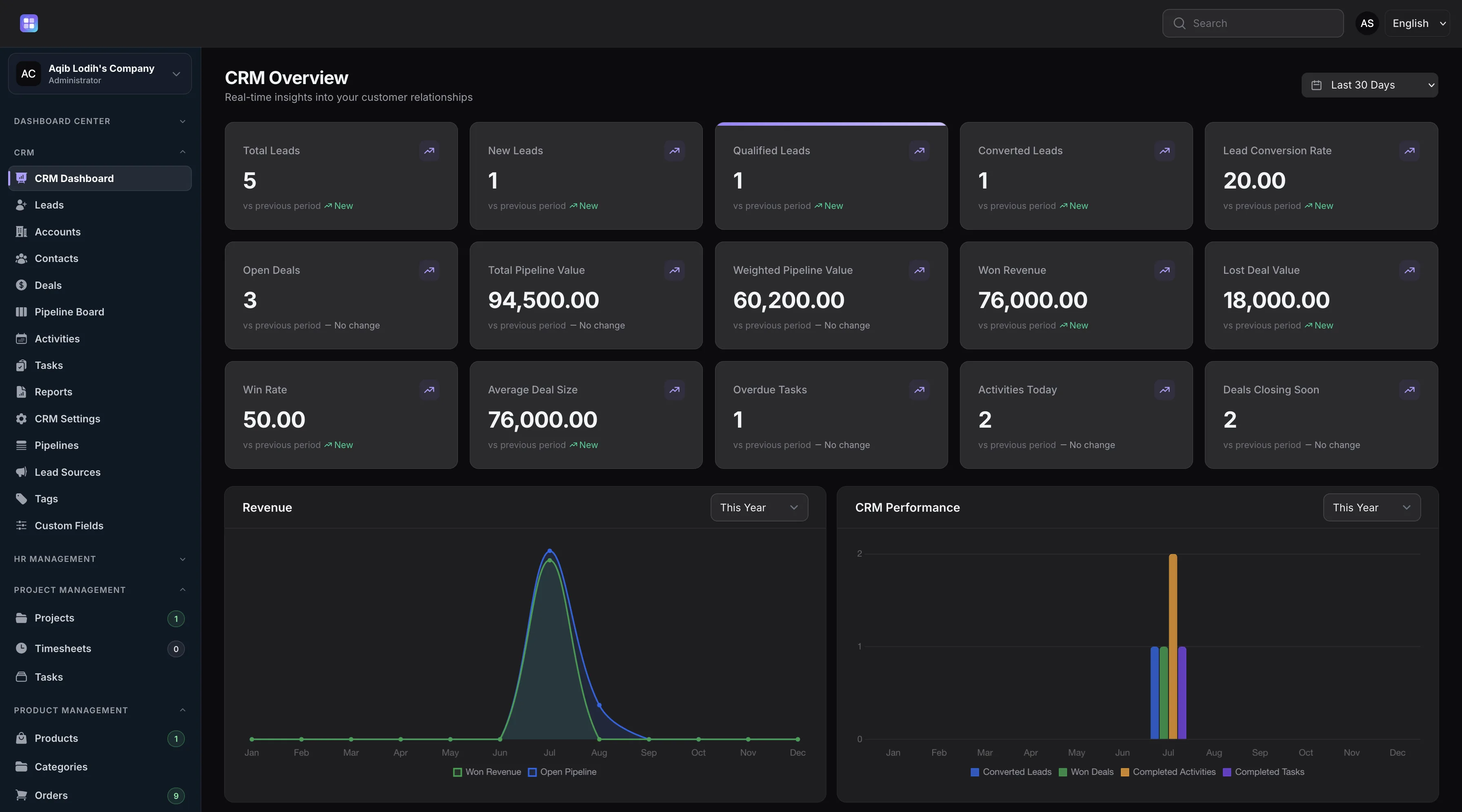
Dashboard charts and metrics complement the dedicated lead source and pipeline-by-stage reports.
Overview
The Lead Source Performance report groups your leads by source and shows, for each source, the total number of leads, how many converted, and the resulting conversion rate — with workspace-wide totals summarized above the table. It turns your configurable lead source list into an answer about where good leads come from.
The Pipeline by Stage report breaks your pipelines down stage by stage: deal count, stage probability, ordering, and the total amount sitting in each stage, plus overall deal count and value summaries. Amounts respect the default currency configured in your CRM settings.
Capabilities
Every capability below reflects functionality implemented in the TenantSaaS CRM module.
Per-source lead counts, converted counts, and conversion rates, with workspace totals and an overall conversion rate.
Per-stage deal counts, probabilities, and value totals across your pipelines, with summary deal count and total value.
Report amounts use the default currency set in your CRM settings.
Conversion rate, win rate, pipeline value, and trend comparisons on the CRM dashboard extend the reports page.
Customer growth and customer status charts visualize how your customer base is developing.
Record Management
How It Works
This flow follows the statuses, actions, and events implemented in the CRM module.
As leads are captured with sources and converted over time, source performance data accumulates automatically.
Stage moves on the board or the deal record keep per-stage counts and values current.
Compare conversion rates across sources to see which channels produce leads that actually close.
Spot stages where value accumulates or stalls, and rebalance sales attention accordingly.
Access Control
Report access is permission-gated per role, and the page verifies the workspace’s CRM availability before rendering.
FAQ
Answers reflect the CRM implementation that ships with TenantSaaS.
Two dedicated reports — Lead Source Performance and Pipeline by Stage — plus the CRM dashboard’s fifteen date-ranged metrics with trends.
For each lead source: total leads, converted leads, and the conversion rate, with workspace totals and an overall conversion rate summarized above.
For each pipeline stage: the number of deals, the stage’s probability, its order, and the total deal amount, plus overall totals.
Amounts are shown in the default currency configured in your CRM settings.
Yes. Both reports query live lead and deal records each time the page loads.
Yes. The reports page is permission-gated per role and always scoped to the active workspace.
Start a free TenantSaaS workspace and manage reports alongside the rest of the CRM module.