Structured deal records
Capture the account, primary contact, owner, source, pipeline, stage, amount, currency, probability, and expected close date on every deal.
CRM Feature
Track each opportunity with its account, primary contact, owner, pipeline stage, amount, win probability, and expected close date — and keep a full history of every stage change through to Won or Lost.
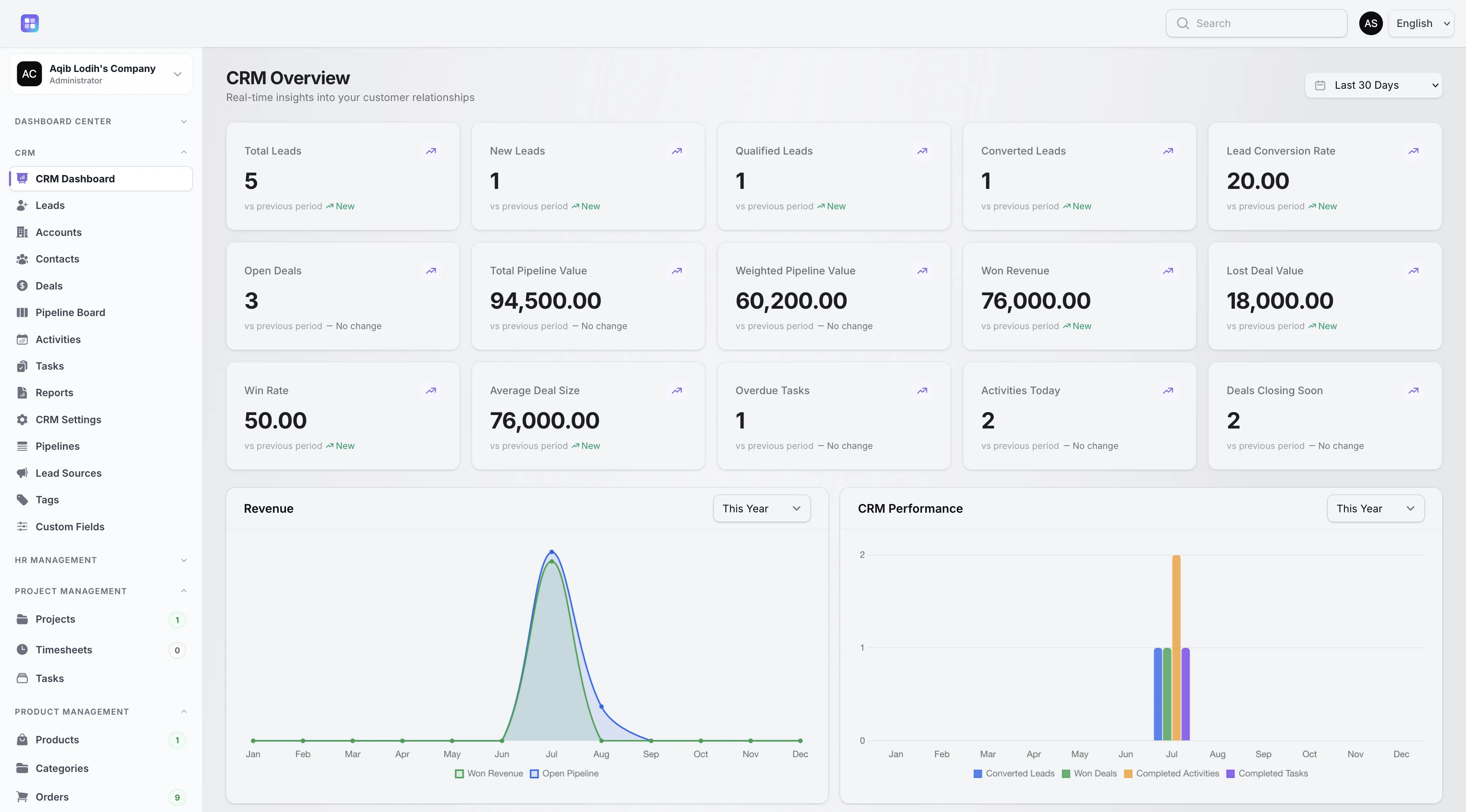
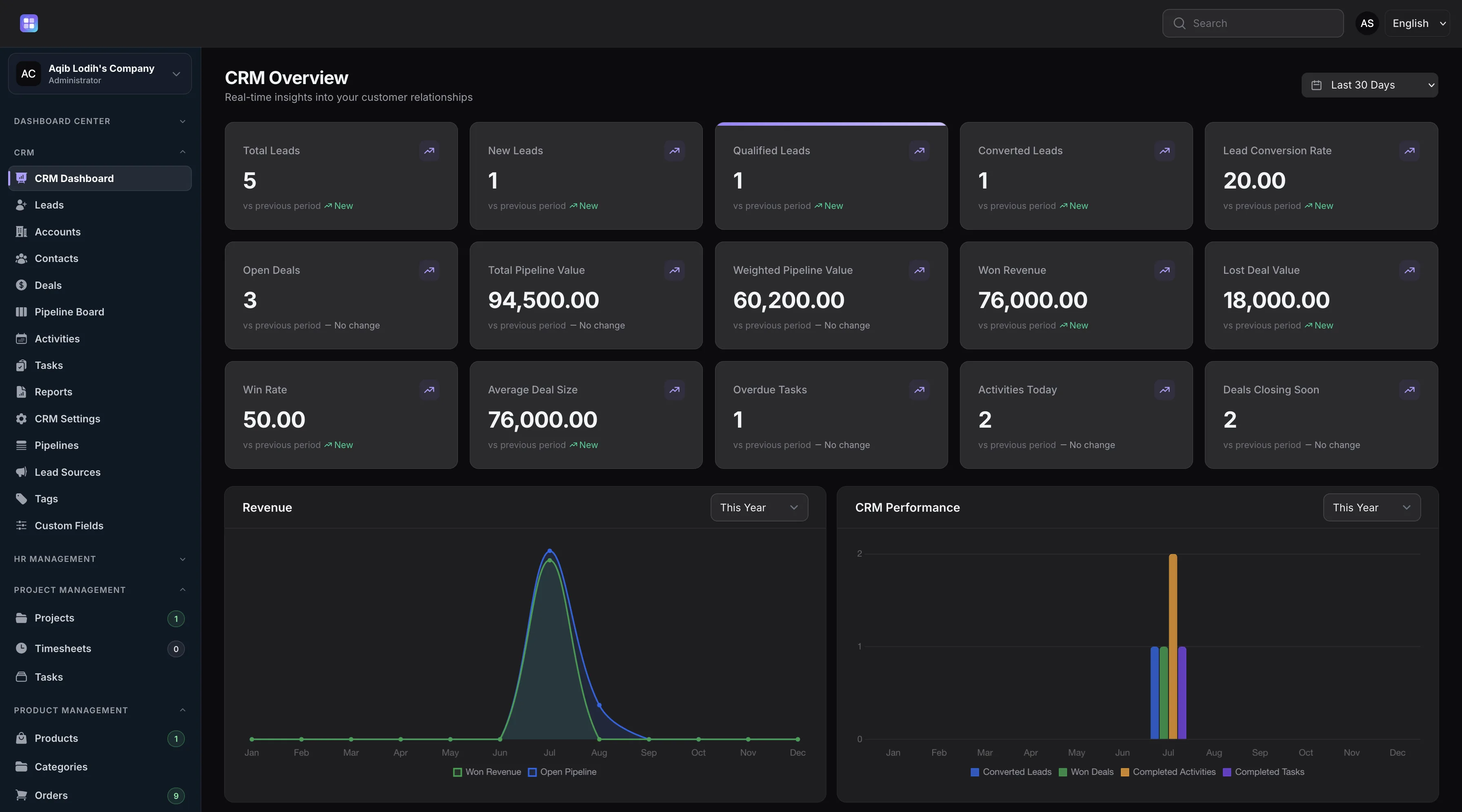
Open deal counts, pipeline value, weighted pipeline value, won revenue, and win rate are computed from deal records.
Overview
A deal in TenantSaaS CRM connects the records that matter to the sale: the company account, the primary contact, the owner on your team, the lead source, and the pipeline and stage the deal currently sits in. Each deal carries an amount with currency, a win probability from 0 to 100 percent, an expected close date, and an automatic reference code.
Deals hold an Open, Won, Lost, or Cancelled status. Marking a deal Lost requires a lost reason, and every stage movement is validated and recorded in the deal’s stage history — so you can always reconstruct how an opportunity progressed.
Capabilities
Every capability below reflects functionality implemented in the TenantSaaS CRM module.
Capture the account, primary contact, owner, source, pipeline, stage, amount, currency, probability, and expected close date on every deal.
Stage changes are checked against the deal’s pipeline, update the probability from the stage, and adjust the deal status automatically.
Every stage change is recorded on the deal, building an auditable timeline of how the opportunity progressed.
Won stages stamp the win date and feed won revenue; Lost outcomes require a reason so post-mortems have real data.
Expected close dates highlight in red when an open deal is overdue, and filters surface deals closing this month.
Log activities, create tasks, and add notes directly on the deal alongside its stage history.
Record Management
How It Works
This flow follows the statuses, actions, and events implemented in the CRM module.
Create a deal directly or during lead conversion, seeded with the lead’s estimated value and linked account and contact.
Choose an active pipeline and a stage within it; the stage’s probability becomes the deal’s starting probability.
Move the deal from the deal record or the pipeline board. Each move is validated, recorded in history, and updates probability.
Moving to a Won stage marks revenue won with a timestamp; a Lost outcome requires a lost reason.
Stage changes notify the deal owner, and dashboards recalculate pipeline value, weighted value, and win rate.
Dashboard & Analytics
These metrics and reports are part of the implemented CRM dashboard and reports pages.
See the full picture on the CRM Dashboard and CRM Reports pages.
Metrics and charts from the implemented CRM dashboard.
Access Control
Deals use owner-based visibility. Workspace owners, CRM managers, and team admins see every deal; other users see deals they own or created.
FAQ
Answers reflect the CRM implementation that ships with TenantSaaS.
Each deal stores its name, account, primary contact, owner, source, pipeline, stage, amount with currency, probability, expected close date, status, description, and — when lost — a lost reason.
Deals are Open, Won, Lost, or Cancelled. Pipeline stages are typed Open, Won, or Lost, and moving a deal into a Won or Lost stage updates the deal status automatically.
Yes. Every stage change is written to the deal’s stage history, visible on the deal record as an auditable timeline.
Lost deals require a lost reason, the loss date is stamped, and lost deal value appears in dashboard metrics.
Open deals past their expected close date show the date in red, and a dedicated “overdue” filter lists them all.
Yes. Stage changes notify the deal owner, and won or lost outcomes refresh the CRM dashboard metrics.
Yes. Each deal’s probability weights its amount in the dashboard’s weighted pipeline value metric.
Start a free TenantSaaS workspace and manage deals alongside the rest of the CRM module.