Seven interaction types
Classify work as a Call, Email, Meeting, Demo, Follow-up, Message, or Other so activity reports mean something.
CRM Feature
Log calls, emails, meetings, demos, follow-ups, and messages against your leads, contacts, accounts, and deals — with schedules, priorities, assignees, locations, and an outcome recorded when the work completes.
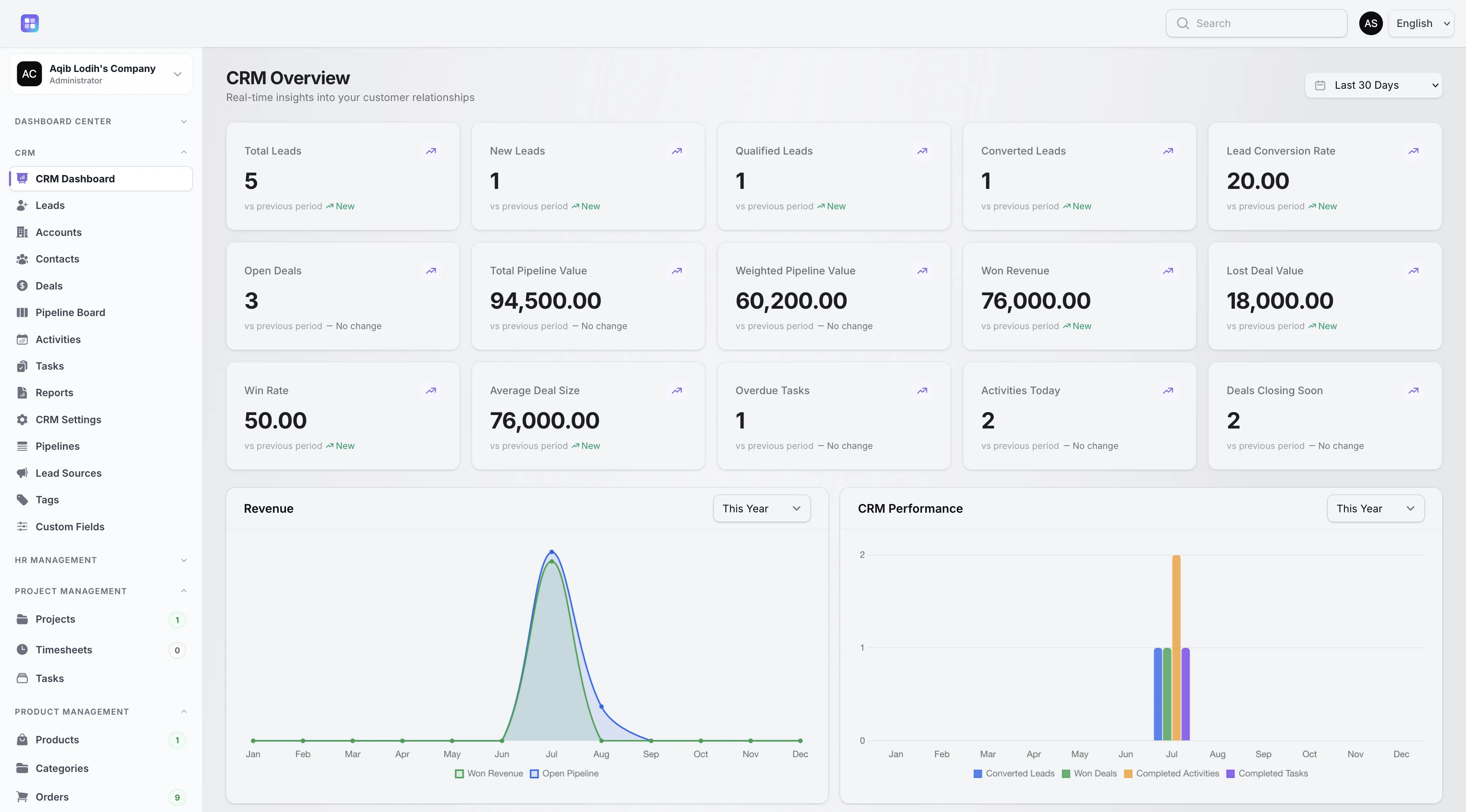
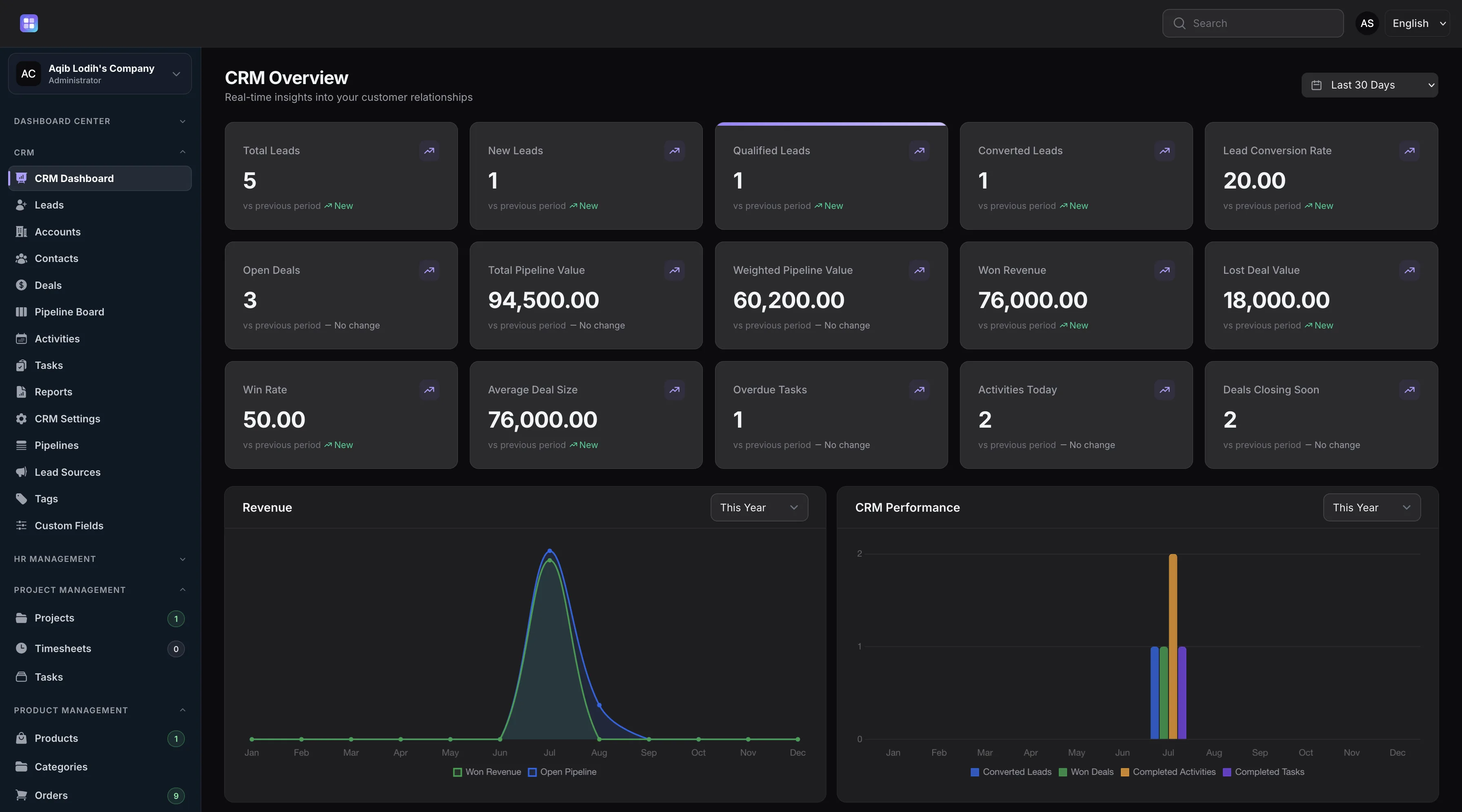
The dashboard’s recent-activity feed lists the latest logged CRM activities with their types and statuses.
Overview
Activities in TenantSaaS CRM cover seven interaction types — Call, Email, Meeting, Demo, Follow-up, Message, and Other. Each activity has a subject line, a Planned, In Progress, Completed, or Cancelled status, a Low to Urgent priority, an assignee from your workspace, an optional scheduled start and end time, a location, a description, and an outcome.
Activities attach to the records they concern: log them from a lead, contact, account, or deal, and the interaction history stays on that record. Completing an activity captures its outcome and automatically updates the last-contacted date on the related contact or account.
Capabilities
Every capability below reflects functionality implemented in the TenantSaaS CRM module.
Classify work as a Call, Email, Meeting, Demo, Follow-up, Message, or Other so activity reports mean something.
Give activities a scheduled start and end time and a location — useful for meetings and demos.
Track each activity from Planned through In Progress to Completed or Cancelled, with Low, Normal, High, or Urgent priority.
Assign activities to workspace members and filter each person’s list by assignee.
A Complete action finishes the activity and records what happened in a dedicated outcome field.
Completing an activity stamps the related contact or account’s last-contacted date and refreshes dashboard metrics.
Record Management
How It Works
This flow follows the statuses, actions, and events implemented in the CRM module.
Create the activity with its type, subject, priority, assignee, and scheduled time — usually from the record it concerns.
Activities scheduled for today appear in the CRM dashboard’s “activities today” metric.
Move the activity to In Progress as it happens, or cancel it with the status if plans change.
Use the Complete action to close the activity and record what was agreed or learned.
Completion updates the related record’s last-contacted date and appears in the dashboard’s recent-activity feed.
Dashboard & Analytics
These metrics and reports are part of the implemented CRM dashboard and reports pages.
See the full picture on the CRM Dashboard and CRM Reports pages.
Metrics and charts from the implemented CRM dashboard.
Access Control
Activities follow assignment-based visibility. Workspace owners, CRM managers, and team admins see every activity; other users see activities assigned to them or created by them.
FAQ
Answers reflect the CRM implementation that ships with TenantSaaS.
Calls, emails, meetings, demos, follow-ups, messages, and a general “other” type — each with status, priority, schedule, and outcome fields.
Yes. Activities take a scheduled start and end time plus a location, and the dashboard counts activities scheduled for today.
The Complete action closes the activity and captures an outcome note, which stays on the record for the whole team.
Yes. Completing an activity updates the last-contacted date on the related contact or account and refreshes CRM dashboard metrics.
Yes. Activities are logged from lead, contact, account, and deal records, and the interaction history stays attached to that record.
The assignee and creator always see their activities; workspace owners, CRM managers, and team admins see all of them.
Start a free TenantSaaS workspace and manage activities alongside the rest of the CRM module.