Rich contact profiles
Capture names, job title, department, birthday, primary and secondary email, phone, mobile, and a complete mailing address.
CRM Feature
Store every person your business talks to with their company, role, contact channels, communication preferences, and full interaction history — owned by a team member and scoped to your workspace.
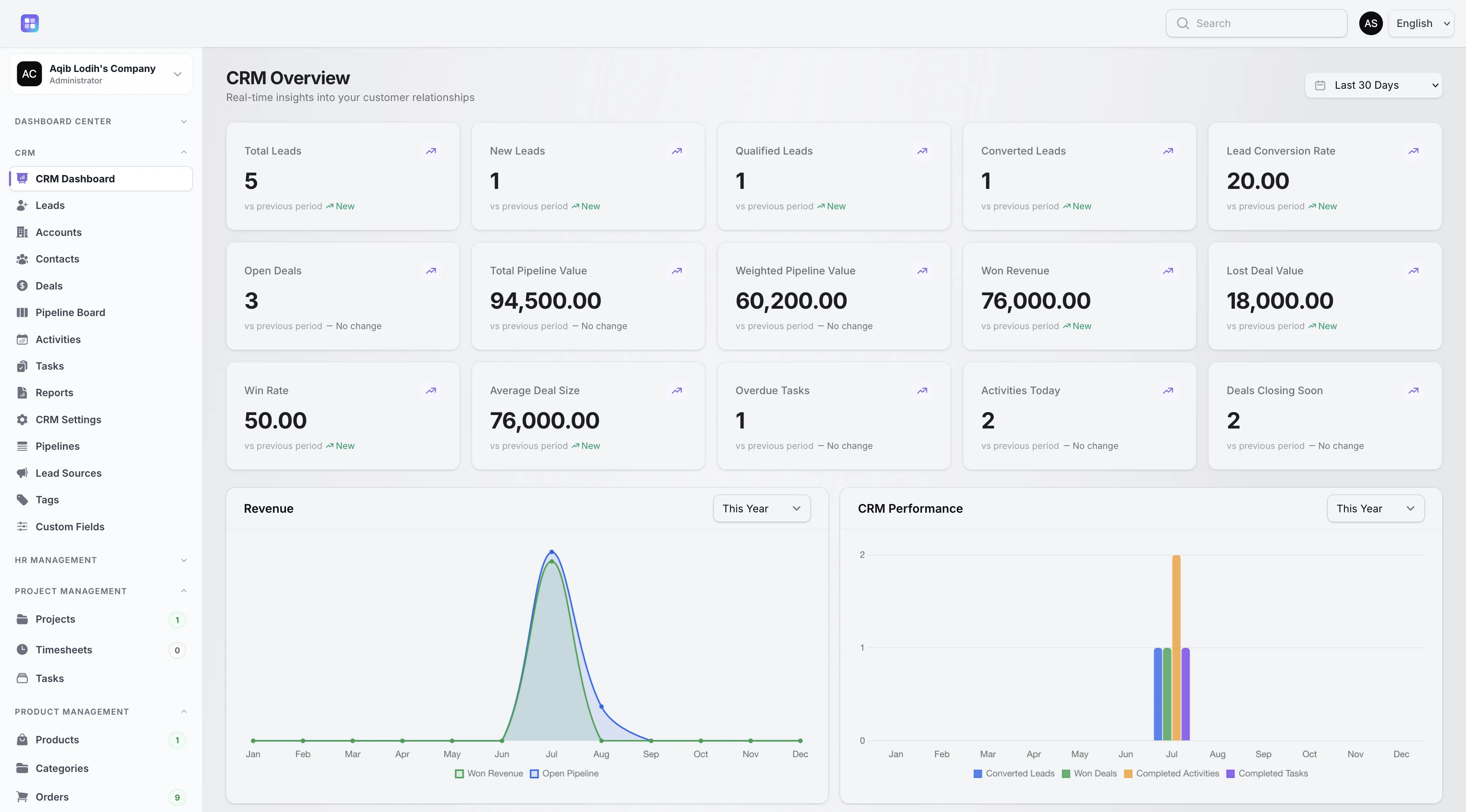
Customer growth and customer status charts on the CRM dashboard are powered by contact data.
Overview
A contact in TenantSaaS CRM is more than a name and an email. Each profile records the person’s company account, owner, source, job title, department, birthday, primary and secondary email, phone and mobile numbers, a full address, and a preferred contact method — Email, Phone, Mobile, or Any — so your team reaches out the way the customer actually wants.
Contacts carry an Active, Inactive, or Unsubscribed status, and the CRM updates each contact’s last-contacted date automatically when a related activity is completed. That means “when did we last talk to them?” is always answered by the record itself.
Capabilities
Every capability below reflects functionality implemented in the TenantSaaS CRM module.
Capture names, job title, department, birthday, primary and secondary email, phone, mobile, and a complete mailing address.
Link each contact to a company account so people and organizations stay connected across deals and activities.
Give every contact an owner from your workspace and record which lead source introduced them.
Store a preferred contact method — Email, Phone, Mobile, or Any — plus an Unsubscribed status for people who opt out.
Log activities, tasks, and notes directly on the contact through built-in related-record panels.
Completing a related activity stamps the contact’s last-contacted date automatically — no manual bookkeeping.
Record Management
How It Works
This flow follows the statuses, actions, and events implemented in the CRM module.
Add contacts directly, or let lead conversion create them automatically with the lead’s details carried over.
Attach the contact to an account so the relationship shows up on both records.
Record the preferred contact method and assign an owner responsible for the relationship.
Log calls, meetings, follow-ups, tasks, and notes on the contact as work happens.
Use the automatically maintained last-contacted date to spot relationships going quiet.
Dashboard & Analytics
These metrics and reports are part of the implemented CRM dashboard and reports pages.
See the full picture on the CRM Dashboard and CRM Reports pages.
Metrics and charts from the implemented CRM dashboard.
Access Control
Contacts follow the CRM’s owner-based visibility model. Workspace owners, CRM managers, and team admins see all contacts; other users see contacts they own or created.
FAQ
Answers reflect the CRM implementation that ships with TenantSaaS.
Yes. Each contact can belong to a company account, and the relationship is visible from both the contact and the account.
Job title, department, birthday, primary and secondary email, phone, mobile, full address, source, owner, status, and a preferred contact method.
When a related CRM activity is completed, the contact’s last-contacted date is updated automatically.
Yes. Every contact stores a preferred contact method — Email, Phone, Mobile, or Any — and an Unsubscribed status is available for opt-outs.
Notes can be shared with the team or marked private, in which case only the note’s creator sees them.
Yes. Colored CRM tags organize contacts, and custom fields defined for contacts add workspace-specific data points.
Workspace owners, CRM managers, and team admins see all contacts. Other users see contacts they own or created, unless a workspace setting broadens sales visibility.
Start a free TenantSaaS workspace and manage contacts alongside the rest of the CRM module.